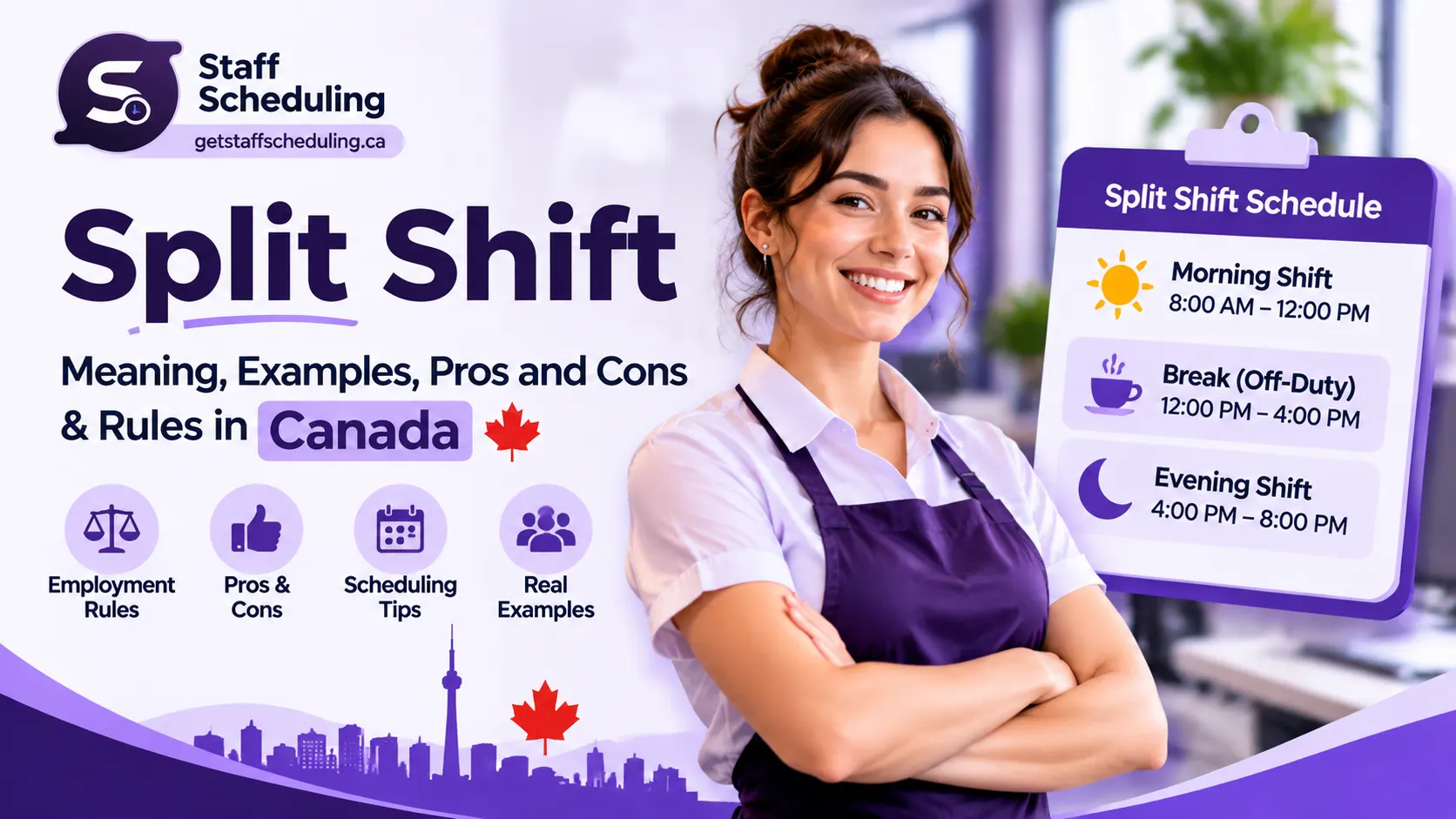
A split shift divides an employee's working day into two or more separate work periods with a longer break in between. Instead of working one continuous shift, an employee might work during the morning rush, take a few hours off, and return for the evening. This scheduling arrangement is common in restaurants, retail stores, hotels, transportation, and other businesses with changing customer demand. For Canadian employers, split shifts can help match staffing levels to busy periods, but they also require careful planning to manage working hours, employee availability, and employment standards. In this guide, you will learn how split shifts work, explore practical examples, understand their advantages and disadvantages, and discover how to schedule them effectively.
What Is a Split Shift? Meaning and Definition
A split shift is a work schedule in which an employee works two or more separate periods during the same day, with a longer break between them. Instead of completing all their hours in one continuous shift, they finish one work period, take an extended break, and return later to complete the remaining hours.
For example, a restaurant employee might work from 7:00 AM to 11:00 AM, take a four-hour break, and return from 3:00 PM to 7:00 PM. Although the employee is at work during two different periods, both are part of the same workday.
The main purpose of this arrangement is to match employee availability with the hours when a business needs more staff. Restaurants, hotels, and other service-based businesses often use split shifts to cover busy morning and evening periods without scheduling employees during quieter hours.
Key Characteristics of a Split Shift
A split shift usually has these characteristics:
- Multiple work periods: Employees work in two or more separate blocks during one workday.
- An extended break: A longer gap separates the work periods.
- Separate start and end times: Each work period has its own clock-in and clock-out time.
- Total working hours: Only the hours actually worked count toward the employee's working time.
- Unpaid intervals: The gap between work periods is generally unpaid when employees are free from work duties, subject to applicable employment standards.
The important distinction is that a split workday includes separate periods of work, not simply a regular shift with a short meal break.
Split Shift Examples for Different Industries
Split Shift Examples for Different Industries
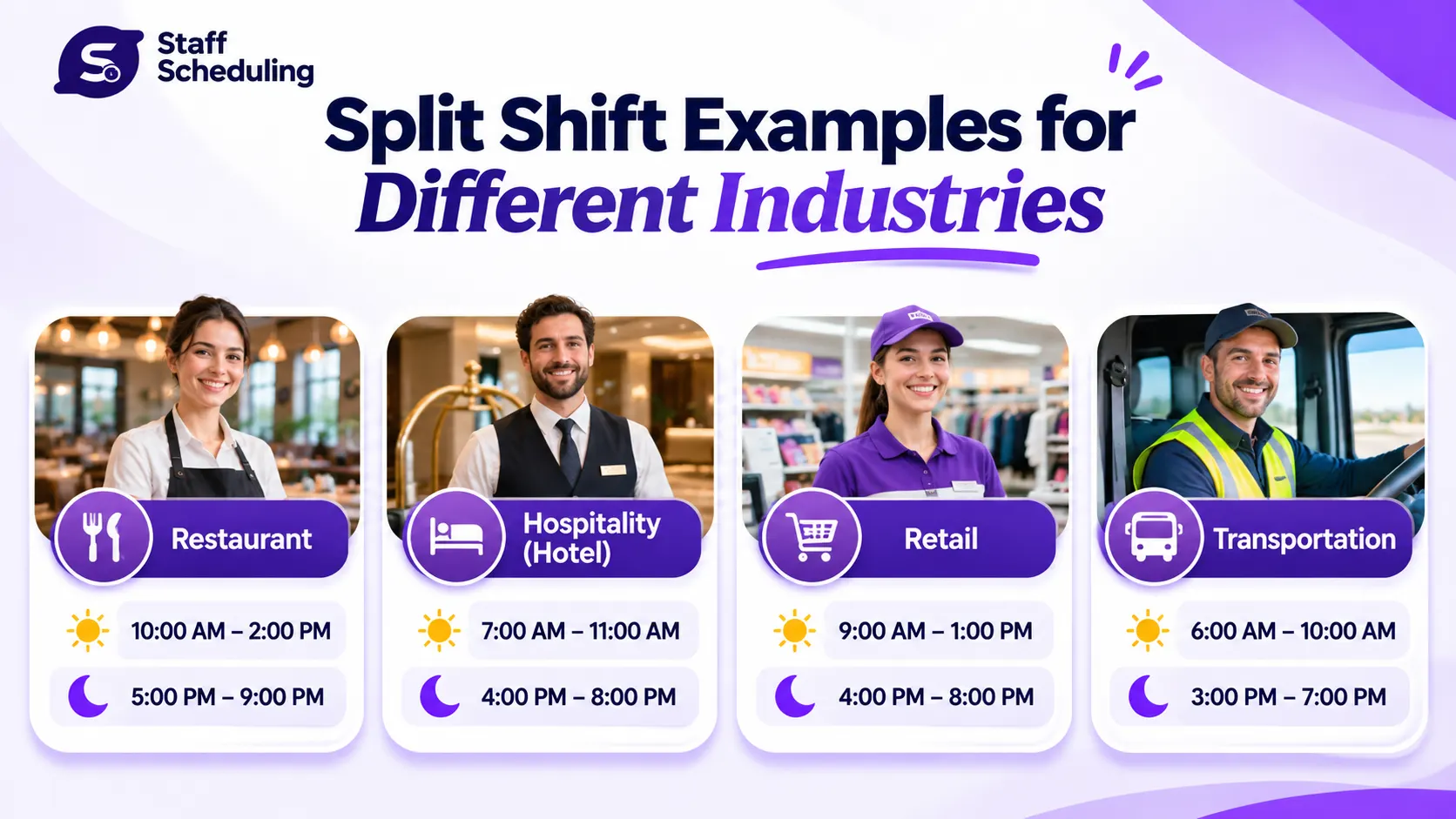
Split shifts are used by businesses that experience busy and quiet periods at different times of the day. Instead of keeping employees on duty during slow hours, managers divide the workday into separate periods to match staffing levels with customer demand.
Here are some practical split shift examples across different industries.
Restaurant Split Shift Example
Restaurants often experience their busiest periods during lunch and dinner. A server might work from 10:00 AM to 2:00 PM, take a three-hour break, and return from 5:00 PM to 9:00 PM.
This arrangement gives the restaurant enough staff during both meal services without requiring employees to work continuously throughout the afternoon. Managers can use this approach when planning restaurant staff schedules around reservations, customer traffic, and service hours.
Retail Split Shift Example
Retail stores may need additional employees during morning opening hours and busy evening shopping periods. For example, a retail employee could work from 8:00 AM to 12:00 PM and return from 4:00 PM to 8:00 PM.
This can help stores manage customer traffic during peak hours, particularly during holidays, seasonal sales, and promotional events. Effective retail employee scheduling helps managers plan staff coverage around changing shopping patterns.
Transportation Split Shift Example
Public transportation services often experience two major passenger peaks: the morning commute and the afternoon rush.
A bus driver might work from 6:00 AM to 10:00 AM, take an extended break, and return from 3:00 PM to 7:00 PM. This schedule provides drivers when passenger demand is highest instead of assigning the same working hours throughout the day.
Hospitality and Hotel Split Shift Example
Hotels may use split shifts to cover breakfast service and evening dining. For example, a hotel restaurant employee could work from 6:00 AM to 10:00 AM and return from 5:00 PM to 9:00 PM.
This allows managers to maintain sufficient staff during meal services while adjusting schedules around guest activity. Similar planning is important across hotel and resort operations.
These examples show that split shifts are not limited to restaurants. Businesses in healthcare, cleaning services, and construction may also need flexible staffing arrangements. Explore all 32+ industries supported by our staff scheduling software to see how scheduling needs differ across workplaces.
How Does a Split Shift Work?
A split shift works by dividing an employee's workday into separate working periods with an extended break in between. The employee completes the first part of the job, takes time away from work, and returns later to finish the remaining hours.
For example, an employee might start work at 7:00 AM, finish the first period at 11:00 AM, and return at 3:00 PM. The four-hour gap separates the two work periods.
Understanding Split Shift Hours and Breaks
A typical split shift includes three parts:
- 1First work period: The employee clocks in and completes the first scheduled block of work.
- 2Break between periods: The employee has an extended interval away from work. This time is generally unpaid if they are free from work duties, subject to applicable employment rules.
- 3Second work period: The employee clocks in again and completes the remaining scheduled hours.
The total paid working hours are calculated by adding the time spent working in each period. The break is not included when it qualifies as unpaid time.
How to Calculate Total Split Shift Hours
Consider this example:
| Activity | Time | Duration |
| First work period | 7 AM–11 AM | 4 hours |
| Break | 11 AM–3 PM | 4 hours |
| Second work period | 3 PM–7 PM | 4 hours |
| Total working time | 8 hours | |
| Total elapsed workday | 7 AM–7 PM | 12 hours |
The employee works for eight hours but the overall day spans twelve hours from the first clock-in to the final clock-out.
Accurate time tracking helps managers record both work periods correctly and maintain reliable employee timesheets. You can use our Time Card Calculator to calculate working hours, while the free employee scheduling tools offer additional resources for managing work schedules.
Advantages and Disadvantages of Split Shifts
Advantages and Disadvantages of Split Shifts
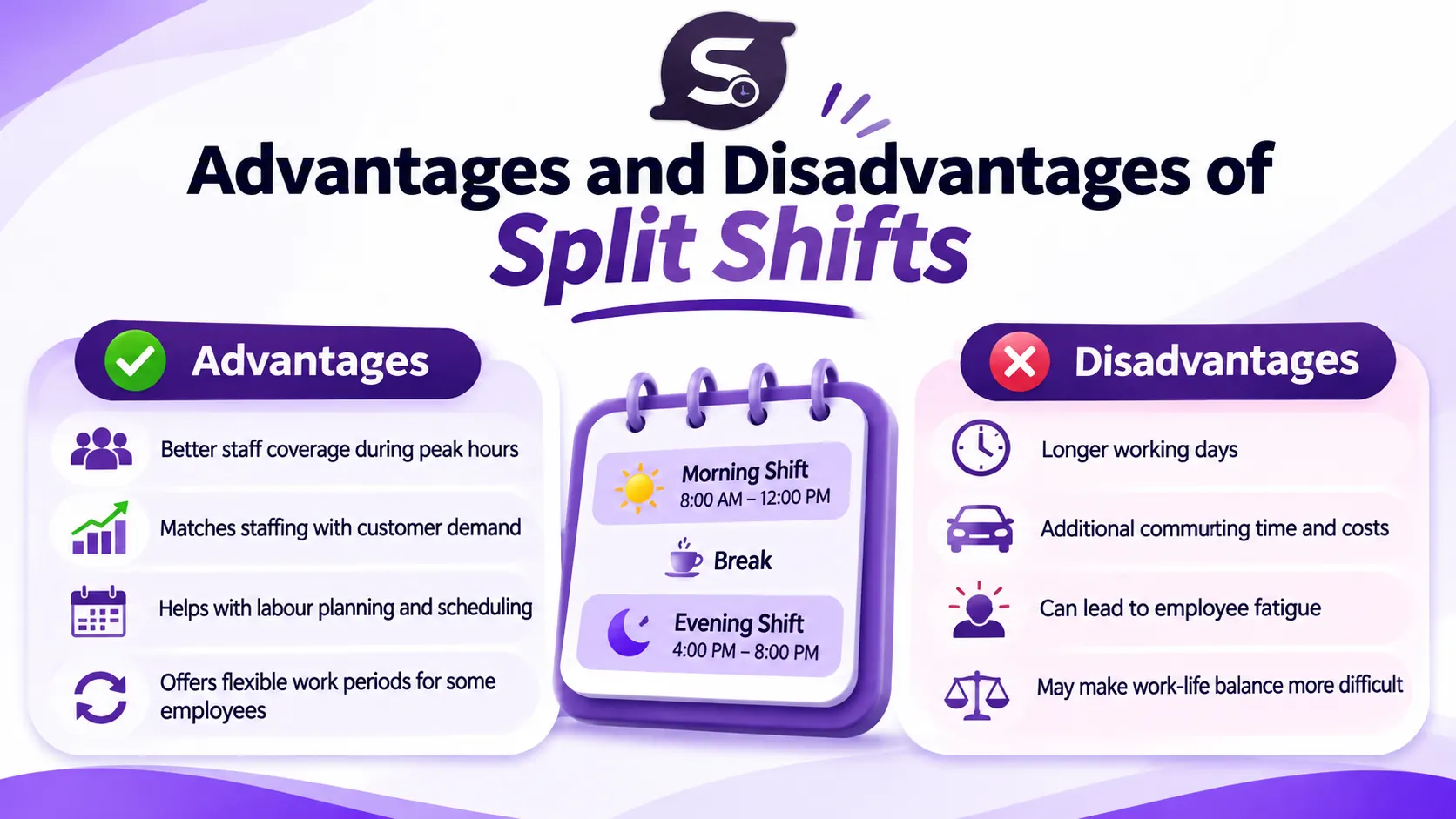
Split shifts can help businesses schedule employees around busy periods, but they also change how employees spend their day. The arrangement may improve staffing efficiency for some workplaces while creating commuting, fatigue, and work-life balance challenges for others. Understanding both sides helps employers decide whether this schedule is suitable for their team.
Advantages of Split Shifts for Employers and Employees
One major advantage of split shifts is better staff coverage during peak hours. Restaurants can schedule more servers for lunch and dinner, while hotels can arrange additional employees around breakfast and evening services.
For employers, this approach can improve workforce planning by matching staffing levels with customer demand. It may also help control labour costs by avoiding unnecessary staffing during quieter periods.
Employees may also benefit when the schedule offers flexibility. For example, someone looking for part-time work might prefer two shorter working periods instead of one continuous shift, particularly if the hours fit their personal commitments.
Disadvantages of Split Shifts for Employees and Businesses
The biggest disadvantage is the longer working day. An employee who works eight paid hours may spend twelve hours between their first start and final finish.
This can create several challenges:
- More commuting: Employees may have to travel to work twice in one day, increasing transport costs and travel time.
- Work-life balance: A long gap can make it difficult to manage family responsibilities, appointments, or personal activities.
- Employee fatigue: Returning to work after an extended break can be tiring, particularly when the schedule is repeated frequently.
- Lower satisfaction: Employees may become frustrated if they have little control over their schedules.
- Management complexity: Managers need to coordinate multiple work periods, attendance records, and payroll calculations accurately.
If these issues are not addressed, businesses may also experience higher absenteeism and employee turnover.
Split Shift Pros and Cons at a Glance
- Better staff coverage during peak hours
- Matches staffing with customer demand
- Helps businesses plan labour requirements
- Offers flexible working periods for some employees
- Can support part-time work opportunities
- Helps maintain customer service during busy periods
- Longer working days
- Additional commuting time and costs
- Difficult work-life balance
- Potential employee fatigue
- Lower employee satisfaction if schedules are unpredictable
- More complex scheduling and payroll management
Staff Scheduling — Honest comparison
How Can Employers Reduce Split Shift Challenges?
Employers can make split shifts more manageable by involving employees in scheduling decisions. Consider commute distances, review employee availability, and share schedules early so workers can plan their personal lives.
Keep the gap between work periods reasonable, avoid unnecessary split shifts, and provide predictable schedules whenever possible. Most importantly, ask employees for feedback and review whether the arrangement is actually improving staffing efficiency.
A split shift works best when it meets business needs without placing an unreasonable burden on employees.
Split Shift vs. Double Shift vs. Regular Shift
Split shifts, double shifts, and regular shifts all describe different ways of organizing employee working hours. Although they may sometimes involve similar total hours, the way those hours are arranged is different.
Split Shift vs. Double Shift
A split shift divides one workday into separate work periods with an extended break in between. For example, an employee works from 10 AM to 2 PM and returns from 5 PM to 9 PM.
A double shift usually means an employee works two assigned shifts in the same day, often to cover additional hours or staff shortages. Unlike a split shift, the two shifts do not necessarily form a planned schedule with a long break between them.
Split Shift vs. Regular Shift
A regular shift is one continuous working period with normal breaks. For example, an employee works from 9 AM to 5 PM. A split shift divides the workday into separate periods instead of keeping all working hours together.
| Factor | Split shift | Double shift | Regular shift |
| Work periods | Two or more separate periods | Two assigned shifts | One continuous period |
| Break between periods | Extended gap | Varies | Normal breaks |
| Main purpose | Cover peak hours | Cover additional shifts | Provide regular staff coverage |
| Example | 10 AM–2 PM, 5 PM–9 PM | Two scheduled shifts in one day | 9 AM–5 PM |
Other shift patterns, such as the 2-2-3 work schedule, follow different arrangements. Understanding these differences makes it easier to create an effective staff schedule that matches business requirements and employee availability.
Split Shift Rules in Canada: Employment Standards, Breaks and Pay
Split shift rules in Canada depend on the province or territory where an employee works. Requirements for maximum work periods, meal breaks, rest time, and overtime can differ, so employers should check the applicable employment standards before publishing a schedule. The following examples explain the rules in British Columbia and Ontario.
British Columbia Split Shift Rules
Under British Columbia's employment standards, an employee working a split shift must complete it within 12 hours of starting work, including the breaks between work periods. For example, if an employee starts at 7 AM, the split shift must generally finish by 7 PM.
Employees must also receive a meal break of at least 30 minutes when they work more than five consecutive hours. If an employee must work or remain available for work during that break, the time must count as working time. Overtime and minimum daily pay requirements may also apply. Certain employees are exempt from some employment standards, and specific exceptions can affect how the rules apply.
Read the official British Columbia employment standards guidance for details.
Ontario Split Shift and Rest Period Requirements
Ontario has different requirements. Most employees must receive at least 11 consecutive hours free from work each day. The usual eight-hour rest requirement between successive shifts has an exception for split shifts, but this does not remove the separate daily rest requirement.
Employees generally cannot work more than five consecutive hours without a 30-minute eating period. By agreement, this period can be divided into two breaks that total at least 30 minutes. Meal breaks are generally unpaid when the employee is free from work duties, unless the employment agreement provides otherwise.
Employers should also check applicable daily and weekly work limits, overtime requirements, and any industry-specific exemptions. Consult the Ontario government's official guide to hours of work before finalizing a schedule.
Using staff scheduling software can help managers organize work periods, track employee hours, and keep schedules clear. However, software does not replace checking the employment standards that apply to each employee.
Alberta Employment Standards and Minimum Pay
Alberta has specific pay requirements for employees who work split shifts. Under Alberta employment standards, employees who are required to work a split shift with more than a one-hour break between its two segments must receive the applicable minimum compensation for each segment.
For most covered employees, the general minimum compensation rule is three hours at no less than minimum wage for each qualifying reporting period. Certain employees, including school bus drivers and some home care workers, are subject to a two-hour minimum instead. Exceptions and approved variances may apply.
For example, if a restaurant employee works a short morning period and returns for a separate evening period after a four-hour break, the employer must assess the minimum compensation requirement for each segment rather than assuming that paying only the actual hours worked is sufficient.
Employers should also check Alberta's rules on daily working hours, meal breaks, overtime, and applicable exemptions. See the official Alberta employment standards rules for hours of work and rest for the current requirements.
What Should Canadian Employers Check Before Scheduling Split Shifts?
Before assigning split shifts, employers should review the following:
- Applicable employment standards: Confirm whether provincial, territorial, or federal labour standards apply to the workplace.
- Minimum wage and minimum daily pay: Check reporting-pay and minimum-compensation requirements, including rules that may apply separately to each work period.
- Overtime hours: Calculate overtime according to the applicable jurisdiction's rules and any relevant exceptions.
- Meal and rest periods: Confirm when employees must receive breaks and how those breaks should be paid.
- Payroll and timesheet records: Record each work period's start and finish times, actual hours worked, and applicable pay.
- Employment contracts and collective agreements: Check whether additional scheduling, notice, or compensation requirements apply.
For federally regulated workplaces, consult the Canada Labour Code guidance on hours of work.
How to Create an Effective Split Shift Schedule
How to Create an Effective Split Shift Schedule
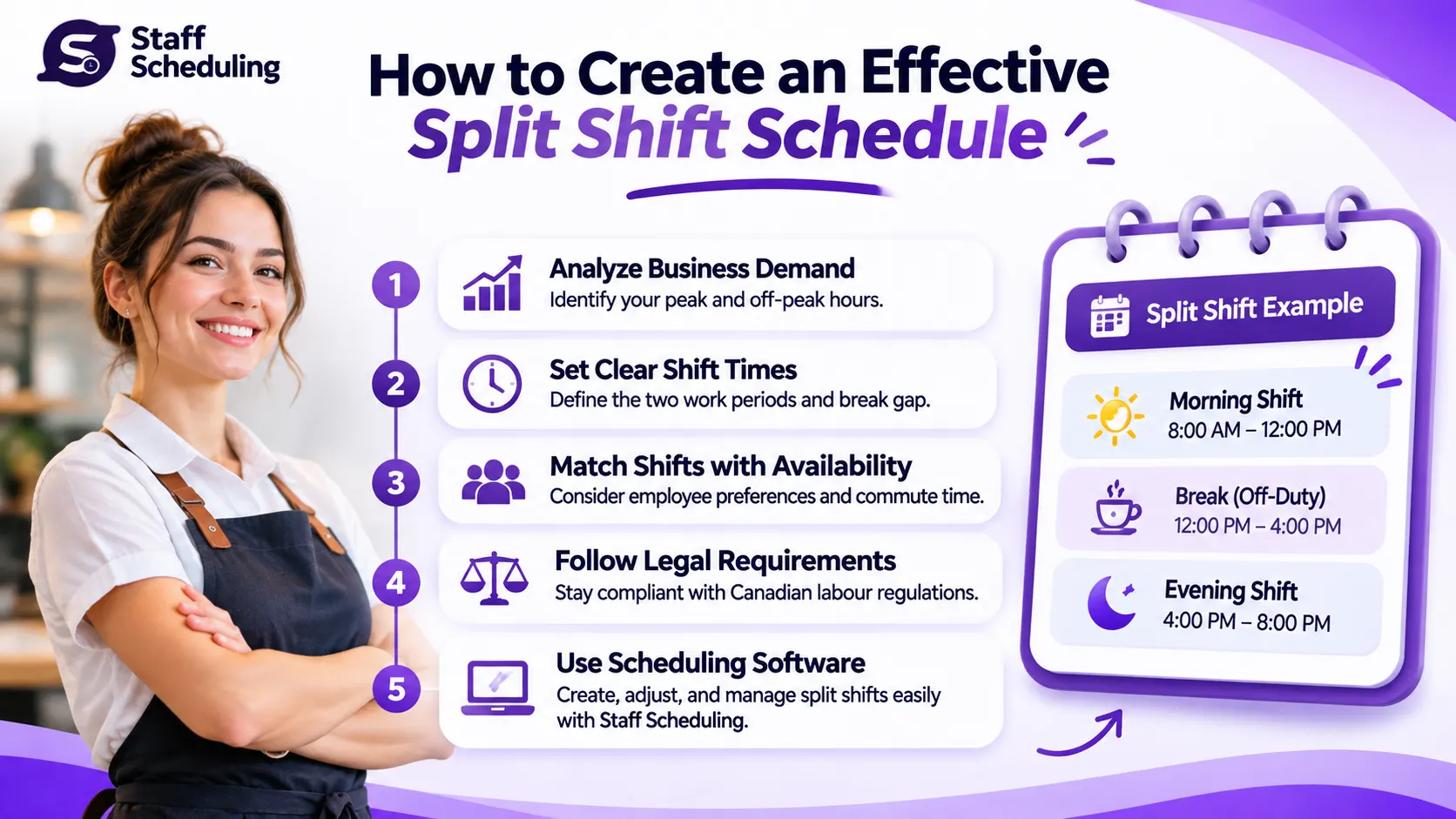
Creating a split shift schedule starts with understanding when your business needs employees the most. The goal is to arrange separate work periods around customer demand while considering employee availability, working hours, and rest requirements.
Follow these five steps to plan a practical schedule.
Step 1. Identify Peak and Off-Peak Hours
Review customer traffic, sales records, bookings, and daily business activity. Identify when your team is busiest and when fewer employees are needed. For example, a restaurant may need more servers during lunch and dinner than in the afternoon.
Step 2. Check Employee Availability
Before assigning shifts, ask employees about their preferred working hours, personal commitments, and transportation arrangements. Use an Employee Availability Form to collect their available days and times.
Step 3. Assign Separate Work Periods
Create morning and evening work blocks that match your staffing requirements. Assign enough employees to each busy period without creating unnecessarily long gaps between work periods.
Step 4. Calculate Hours and Track Attendance
Add the hours worked in each period to calculate total working time. Record clock-in and clock-out times, unpaid breaks, and overtime where applicable. Accurate time tracking helps prevent payroll errors and keeps employee timesheets organized.
Step 5. Share Schedules and Monitor Performance
Share the completed schedule in advance so employees can plan their day. After implementation, review attendance, staff coverage, customer demand, and employee feedback. Adjust future schedules if certain time blocks are causing fatigue or staffing problems.
Using employee scheduling software can make split shift scheduling easier by helping managers organize work periods, manage availability, and keep team schedules in one place.
How Employee Scheduling Software Makes Split Shifts Easier
Managing split shifts manually can become difficult when employees have different availability, multiple work periods, and changing business demands. Managers need to coordinate schedules, communicate updates, and keep track of working hours without creating confusion.
Employee scheduling software brings these tasks into one place. Instead of managing separate spreadsheets or sending individual messages, managers can organize shifts, review employee availability, and keep everyone informed.
Features to Look for in Scheduling Software
When choosing staff scheduling software, look for features that support your daily operations:
- Employee availability management: Check when employees can work before assigning shifts.
- Weekly scheduling: Plan morning and evening work periods in one schedule.
- Shift management: Create, organize, and update separate work periods.
- Schedule notifications: Keep employees informed when schedules change.
- Attendance and timesheet tracking: Record working hours and review attendance.
- Multi-location management: Coordinate employees across different business locations and departments.
Staff Scheduling helps businesses organize employee schedules, manage availability, coordinate shifts, and track attendance from one platform. Whether you manage a restaurant, retail store, hotel, or growing team, it provides scheduling tools to make workforce management easier.
Frequently Asked Questions About Split Shifts
Final Thoughts on Split Shift Scheduling
A split shift can help businesses cover busy periods without scheduling employees during quieter hours. However, an effective split shift schedule should also consider employee wellbeing, commuting time, and applicable employment standards. The right approach balances business demands with fair and manageable working hours. With organized employee scheduling and reliable workforce management, managers can coordinate work periods more effectively. Staff Scheduling provides practical tools to manage employee availability, organize shifts, and keep team schedules in one place.