






11 Tools Compared · 2026 Guide

Best Staff Scheduling Software: Top Tools for Managing Employee Schedules

We compare the best staff scheduling software for different team sizes, industries, and budgets, so you can find the right tool for creating, managing, and sharing employee schedules.

No credit card required15-day free trialCancel anytime
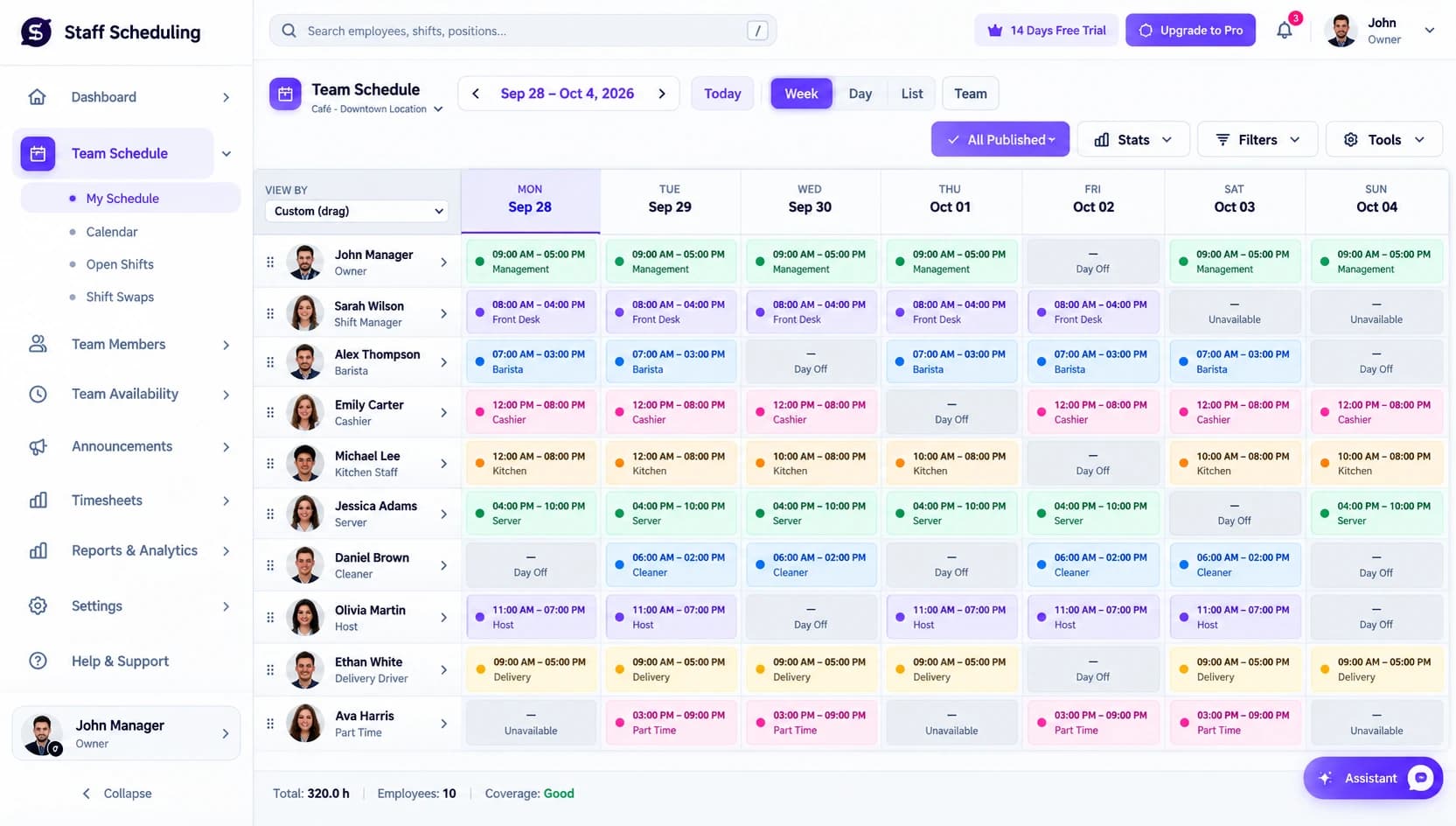
Staff Scheduling app — team schedule dashboard showing weekly shifts, employees, and coverage
Labor Cost
-18%
94%
Shifts Filled
The Basics

What Is Employee Scheduling Software?

The best staff scheduling software helps businesses create and manage employee schedules without relying on spreadsheets, paper, or separate calendars. Managers can assign shifts, check availability, handle time off, and share updates from one place. Staff scheduling software also helps prevent scheduling conflicts and coverage gaps. Instead of manually updating schedules whenever something changes, managers and employees can work from one shared system, making daily staff scheduling faster, clearer, and easier to manage.

Assign shifts Check availability Handle time off Share updates Prevent conflicts
Without software
  • Spreadsheets & paper
  • Group-chat shift swaps
  • Missed coverage gaps
  • Manual updates
One shared system
  • Drag-and-drop schedules
  • Self-service swaps
  • Conflict alerts
  • Real-time updates
11
Tools reviewed
-18%
Labor cost
94%
Shifts filled
Quick Comparison

Staff Scheduling Software Comparison

If you are comparing the best staff scheduling software, the table below gives you a quick way to narrow down your options based on the features that matter most.

SoftwareSchedulingTime TrackingSelf-ServiceAI / AutomationMulti-LocationPayroll / HRFree / Trial
Staff Scheduling logo
Staff Scheduling
Overall
Us
TrialView
Factorial logo
Factorial
HR & Scheduling
TrialView
monday AI Workspace logo
monday AI Workspace
Custom Workflows
—TrialView
Deputy logo
Deputy
Compliance & Workforce Mgmt
TrialView
Connecteam logo
Connecteam
Deskless Teams
Free/TrialView
When I Work logo
When I Work
Employee-Driven Scheduling
—TrialView
Homebase logo
Homebase
Small Businesses
FreeView
7shifts logo
7shifts
Restaurants
Free/TrialView
Sling logo
Sling
Day-to-Day Management
—FreeView
Planday logo
Planday
Multiple Locations
TrialView
Shiftboard logo
Shiftboard
Complex Scheduling
TrialView

← Scroll to see every column on smaller screens →

Staff Scheduling logoStaff Scheduling
★#1 Best Overall 2026

One Platform for
Scheduling & Teams

If you need a flexible best staff scheduling software option that combines shift planning, employee availability, time tracking, and workforce management, Staff Scheduling is a strong all-around choice. It is designed to keep scheduling and day-to-day team coordination in one place.

10,000+
Businesses Trust Us
4.8★
Average Rating
14-Day
Free Trial
24/7
Support Available

Scheduling and Shift Management

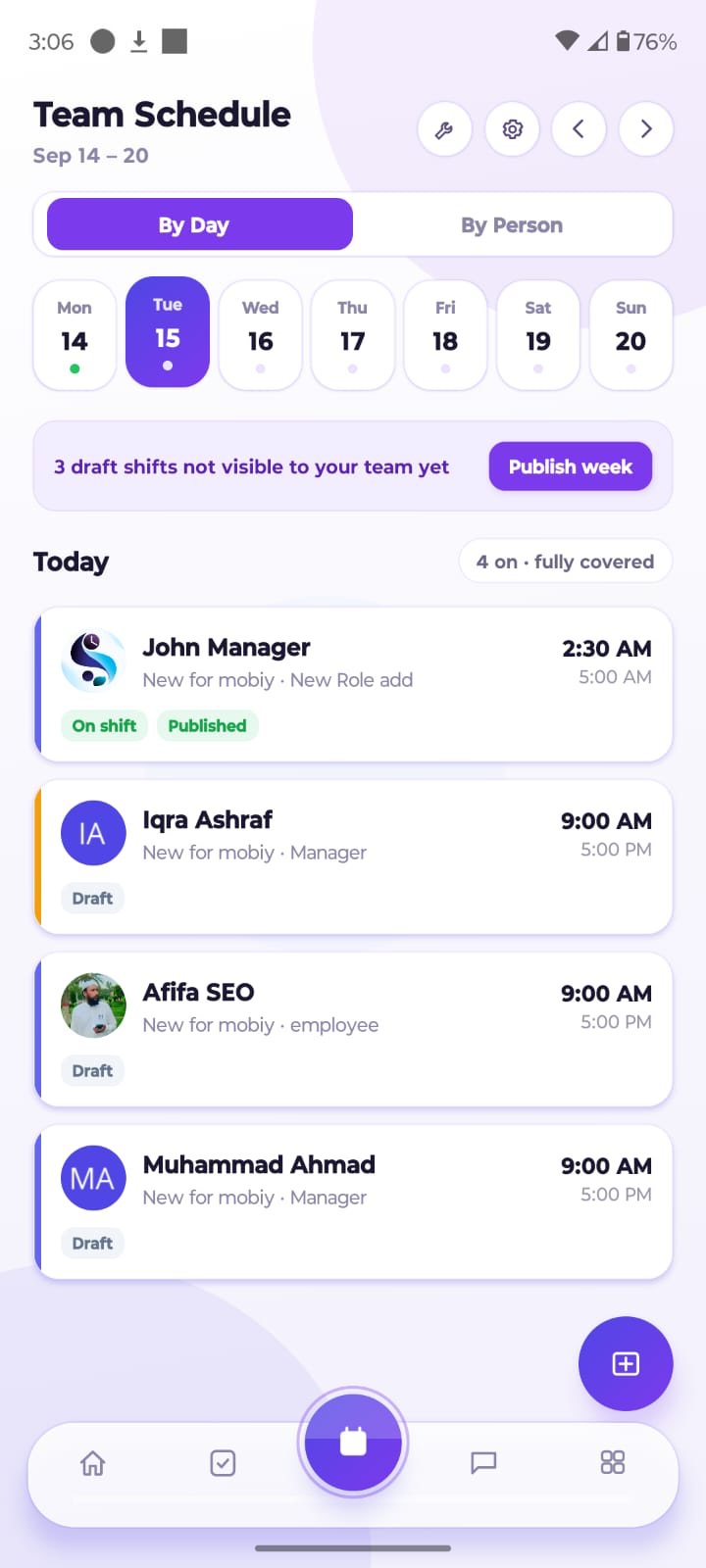
The platform provides a schedule builder for creating weekly or monthly schedules, with tools for recurring shifts, templates, and drag-and-drop editing. Managers can quickly assign employees to shifts and adjust schedules when staffing needs change.

Learn more

Employee Availability and Time Off

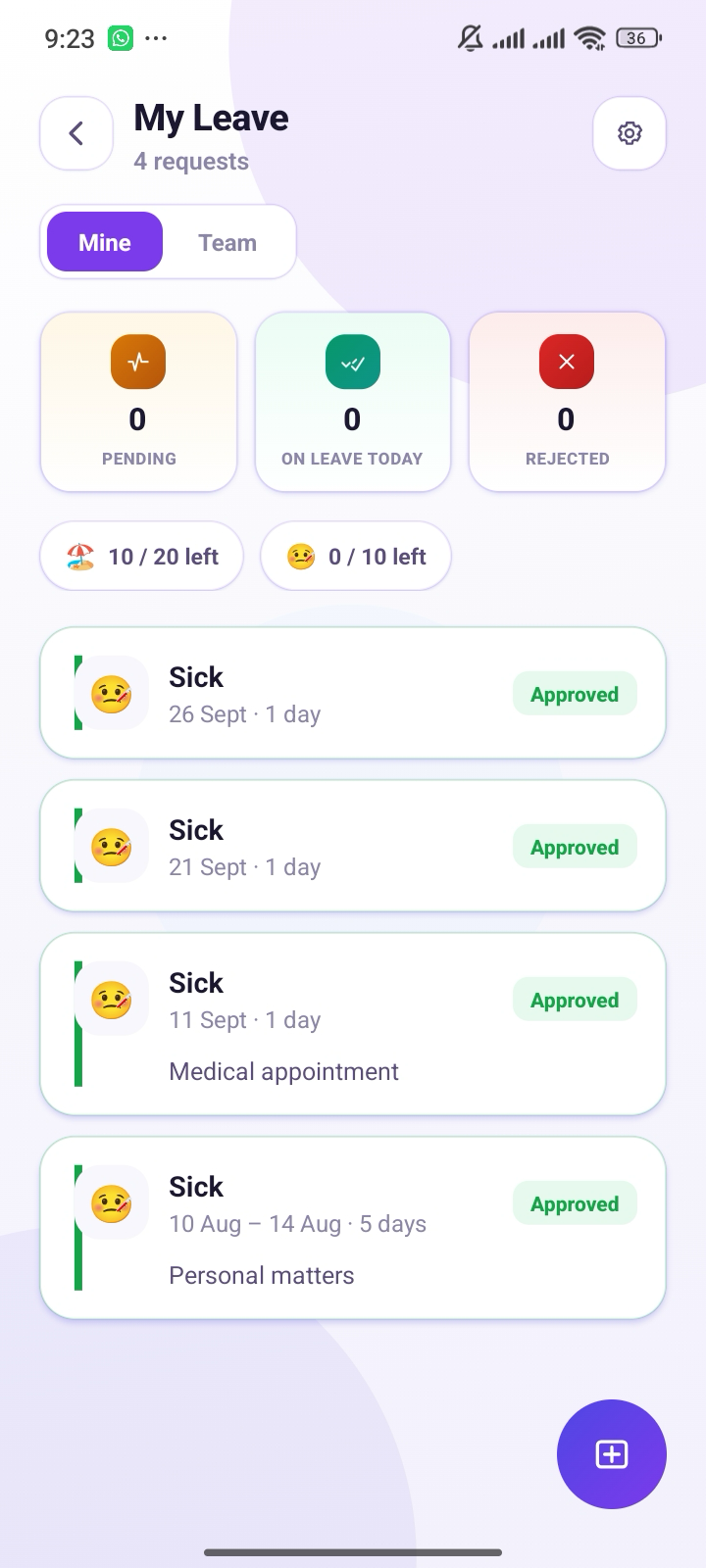
Managers can track employee availability, PTO, leave requests, and individual scheduling preferences from the same system. This makes it easier to build schedules around when employees can actually work and avoid unnecessary conflicts.

Learn more

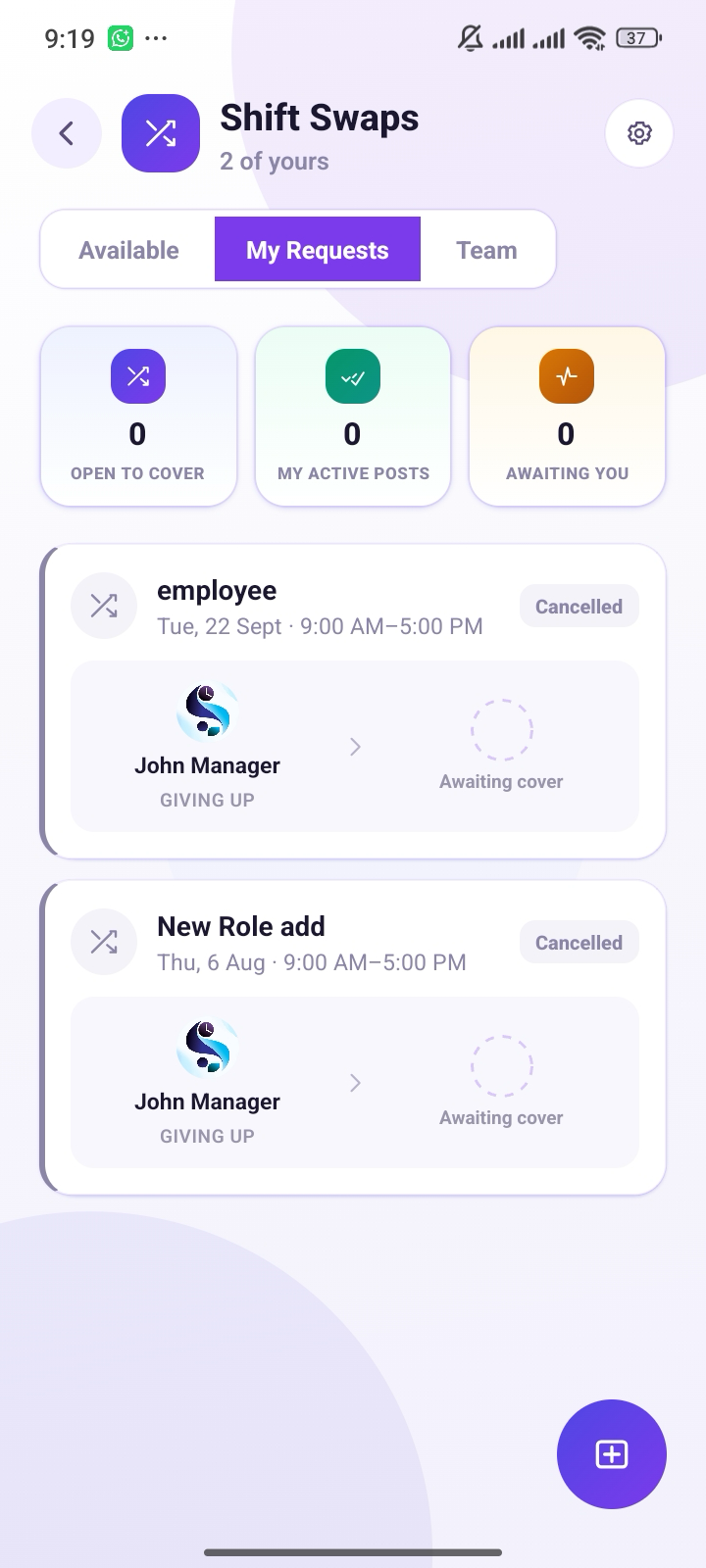
Shift Swaps and Open Shifts

Employees can request shift swaps or take available open shifts when coverage is needed. Managers can review and approve changes before they become part of the official schedule, giving the team more flexibility without losing management control.

Learn more

Time Tracking and Attendance

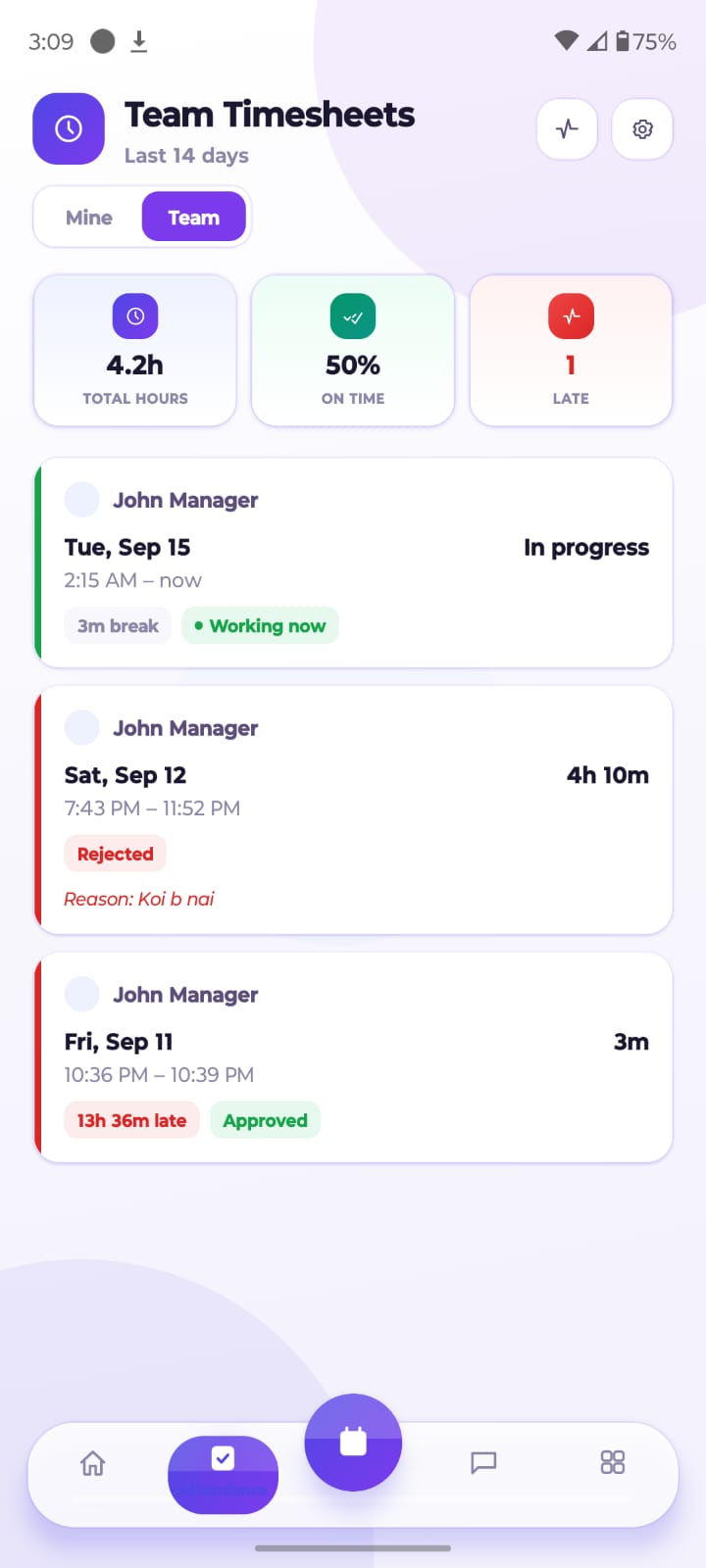
Built-in time tracking and attendance tools help managers monitor clock-ins, clock-outs, timesheets, and overtime. This connects scheduled hours with actual working hours and gives managers a clearer view of attendance and labor usage.

Learn more

AI-Powered Scheduling and Workforce Optimization

Automated scheduling can help match employees with shifts based on availability, staffing requirements, and scheduling rules. AI-assisted workforce optimization can reduce manual planning and identify potential conflicts before a schedule is published.

Learn more

Multi-Location Scheduling

Businesses with multiple locations or departments can manage schedules from a centralized system. Managers can organize employees by location while maintaining visibility across the wider workforce.

Learn more

Team Communication and Notifications

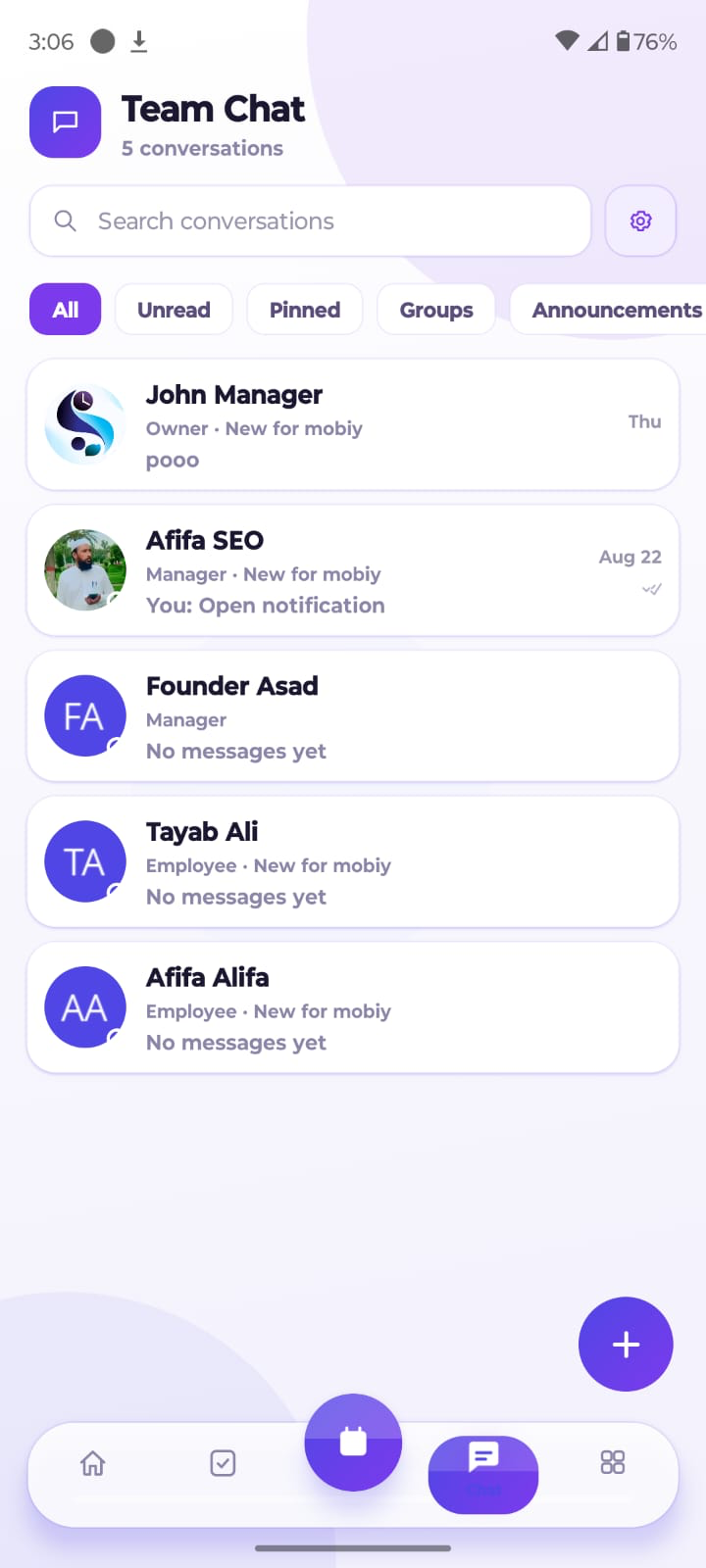
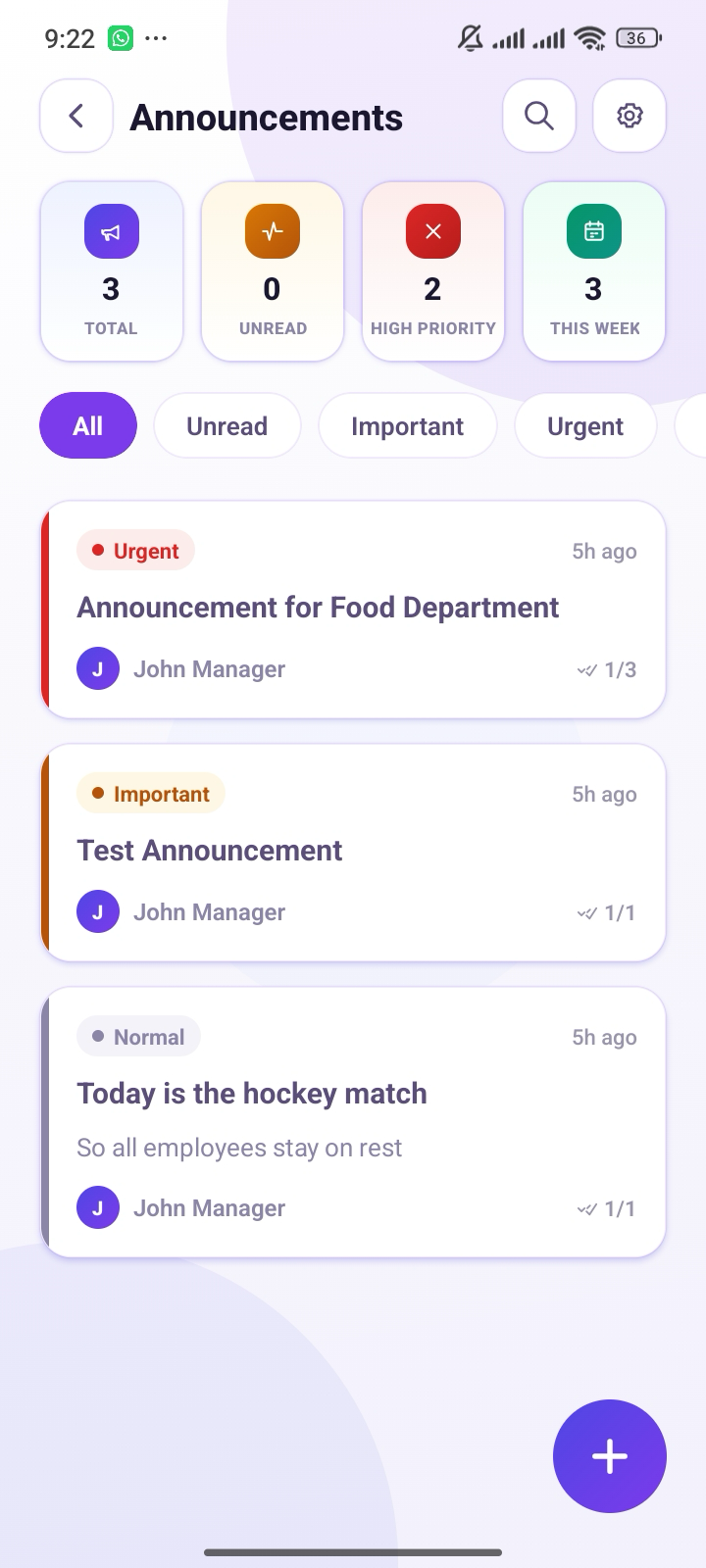
Schedule changes can be communicated through notifications and updates, helping employees stay informed when shifts are added, changed, or reassigned. Managers can also use announcements to share important scheduling information with the team.

Learn more

Payroll Integration and Reporting

Scheduling data can be connected with payroll workflows and reporting, making it easier to review hours, overtime, attendance, and labor information. Reports give managers useful data for understanding how their teams are being scheduled and used.

Learn more
What We Love
  • All-in-one scheduling: Combines scheduling, availability, attendance, and workforce management.
  • Flexible scheduling: Supports recurring shifts, templates, and drag-and-drop schedule changes.
  • Employee self-service: Employees can manage availability, time off, and shift-related requests.
  • Multi-location support: Useful for businesses managing teams across different locations.
  • Workforce visibility: Scheduling and attendance data can be reviewed from one central system.
Worth Knowing
  • More features can mean a learning curve: Businesses looking for only basic shift planning may not need the full feature set.
  • Advanced functionality may require setup: Larger teams may need time to configure locations, departments, rules, and workflows.
  • Not every business needs workforce management features: Very small teams with simple schedules may prefer a lighter scheduling tool.

Best For — Staff Scheduling is best for businesses that want the best staff scheduling software with scheduling, employee management, time tracking, and workforce tools in one platform. It is particularly useful for growing and multi-location teams.

Start Free Trial
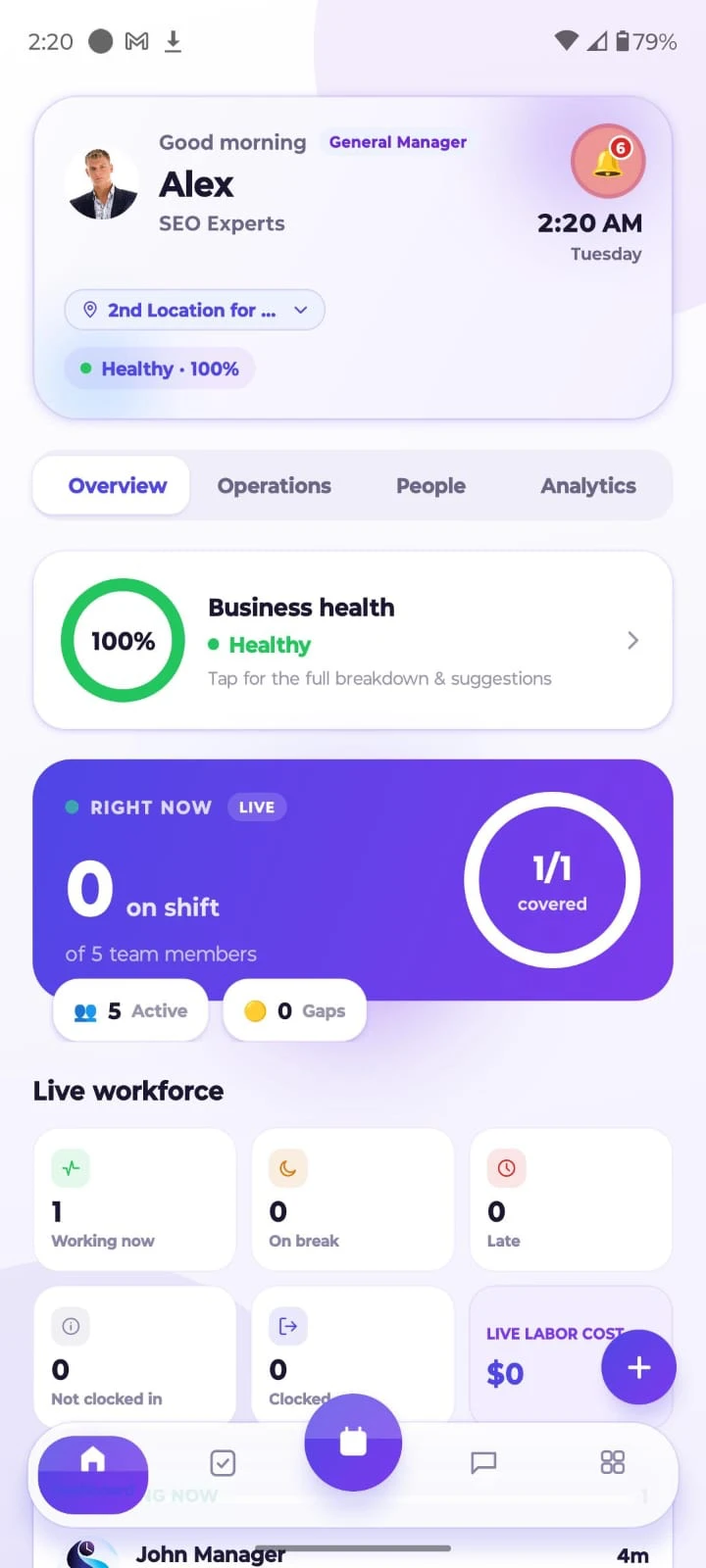
Staff Scheduling app

Manage Your Team From Anywhere

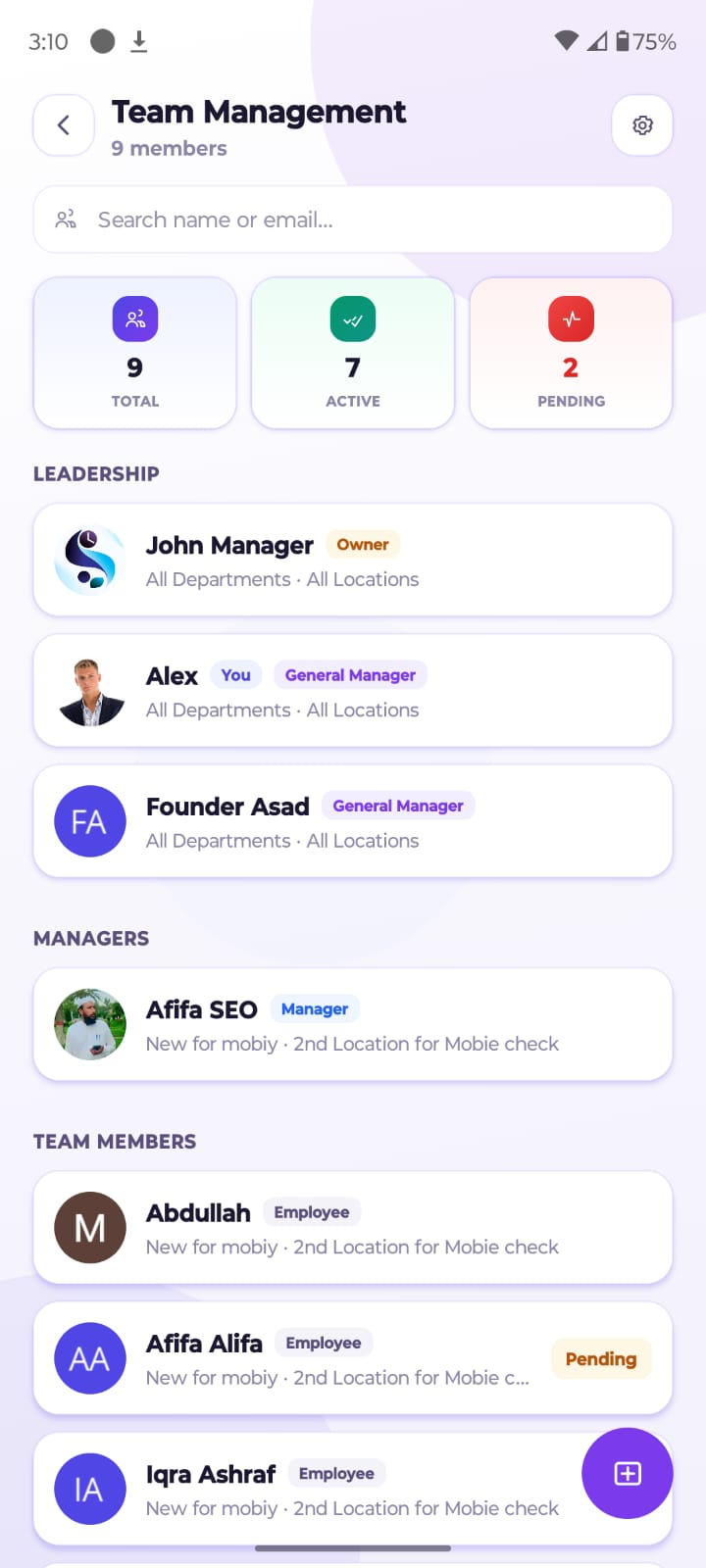
Stay on top of your team's schedule from anywhere. Use the Staff Scheduling app to view shifts, check availability, make schedule changes and keep employees updated. Whether you are at the office or managing multiple locations, everyone stays up to date with the latest schedule.

  • View shifts on the go
  • Approve changes in a tap
  • Keep everyone updated

Free to download · iOS & Android

Software Reviews

The Other 10 Tools We Reviewed

Full details, pros, cons, and who each tool fits best.

02
Factorial logo
#2 on our list

Factorial

Best for HR and Employee Scheduling

Factorial stands out by combining employee scheduling with broader HR management, making it more than a basic shift-planning tool. It brings scheduling, absence management, employee information, and time tracking together, which can reduce the need to manage these tasks across separate systems.

Free Trial
Available
HR+
Scheduling
Multi-Lang
Support
GDPR
Compliant

Employee Scheduling and Workforce Management

Factorial provides tools for calendar-based scheduling, shift planning, and workforce organization. Managers can coordinate employee schedules while keeping related HR information in the same platform, making it easier to connect staffing decisions with broader workforce management.

Employee Availability and Time Off

Managers can manage employee availability, absences, PTO, and leave through a centralized system. Employees can submit time-off requests, while managers can review them alongside schedules to maintain adequate coverage and avoid unnecessary scheduling conflicts.

HR Management and Employee Self-Service

Factorial differentiates itself with its broader HR management capabilities. Employees can access relevant information and handle routine HR tasks themselves, while managers can maintain employee records and manage HR workflows alongside scheduling.

Time Tracking and Attendance

The platform includes time tracking and attendance capabilities, allowing businesses to record working hours and compare them with scheduled time. This can help managers identify attendance issues, review hours, and maintain more accurate workforce records.

Pros
  • Strong HR integration: Scheduling works alongside broader HR processes.
  • Centralized employee data: Keeps HR and scheduling information together.
  • Absence management: Useful for managing PTO and employee availability.
  • Self-service features: Reduces routine administrative work for managers.
  • Integrations: Can connect with other business and HR tools.
Cons
  • HR-focused approach: Businesses that only need simple scheduling may find the wider feature set unnecessary.
  • Learning curve: The broader HR functionality can take time to configure and learn.
  • Best value for HR teams: Smaller teams may not need all of its HR capabilities.

Best For — Factorial is best for HR-focused businesses that want employee scheduling alongside absence management, time tracking, employee records, and broader HR workflows.

Visit Factorial
03
monday AI Workspace logo
#3 on our list

monday AI Workspace

Best for Customizable Team Workflows

monday AI Workspace is a flexible option for teams that want to build custom scheduling workflows instead of using a traditional scheduling system. It is especially useful when employee scheduling needs to connect with project management, task tracking, and other business processes.

Free Trial
Available
200+
Integrations
AI
Automation
24/7
Support

Customizable Employee Scheduling Workflows

Teams can organize schedules using boards, columns, calendars, timelines, and workload views. Managers can customize these workflows around their own processes, making monday useful when standard scheduling tools do not quite fit the way a business operates.

AI-Powered Scheduling and Automation

monday adds AI-powered workflows and automation that can generate plans, automate recurring processes, send reminders, and flag scheduling risks. This can reduce repetitive administrative work, although it is more focused on flexible work management than traditional shift scheduling.

Team Collaboration and Task Management

Because scheduling lives inside a broader work platform, teams can connect schedules with tasks, deadlines, owners, dependencies, and team capacity. This is useful when employee schedules need to be coordinated with ongoing projects and operational work.

Integrations and Customization

monday supports a large ecosystem of integrations, including Slack, Microsoft Teams, Google Calendar, Jira, Salesforce, and GitHub. Its flexible boards and automation tools also let businesses adapt workflows to their existing processes.

Pros
  • Highly customizable boards and scheduling workflows.
  • Strong automation and AI capabilities.
  • Useful for combining scheduling with project and task management.
  • Extensive integrations and workflow options.
Cons
  • Not built primarily for employee shift scheduling, so some scheduling workflows require customization.
  • Native features for areas such as shift swaps, availability management, and scheduling compliance rules may not be as specialized as dedicated workforce scheduling platforms.

Best For — monday AI Workspace is best for teams comparing the best staff scheduling software while also needing highly customizable workflows, automation, collaboration, and project management.

Visit monday AI Workspace
04
Deputy logo
#4 on our list

Deputy

Best for Workforce Management and Compliance

Deputy is a workforce-focused platform that combines employee scheduling, time tracking, compliance, forecasting, and workforce management. It is particularly strong for businesses that need scheduling decisions to reflect demand, labor costs, and workplace rules.

Free Trial
Available
AI
Scheduling
250+
Integrations
Multi-loc
Support

Employee Scheduling and Availability

Deputy helps managers create employee schedules while considering availability, staffing requirements, and business demand. Managers can build schedules around the people and hours they need, while employees can stay informed about their assigned shifts.

AI-Powered Scheduling and Compliance

Its AI-powered smart scheduling can automatically help place the right employees at the right times and use sales or busyness data to forecast staffing needs. Deputy also supports logic-based scheduling and labor requirements, helping managers reduce conflicts and improve compliance.

Employee Qualifications and Scheduling Rules

Deputy can account for business rules and employee requirements when building schedules. This is valuable for organizations where particular shifts require specific skills, qualifications, availability, or compliance considerations rather than simply filling an empty time slot.

Time Clock and Timesheets

The platform connects scheduling with time clocks and timesheets, allowing businesses to compare scheduled hours with actual hours worked. This gives managers better visibility into attendance, overtime, and labor usage while reducing separate manual tracking.

Pros
  • Strong AI-assisted scheduling and demand forecasting.
  • Useful compliance and scheduling rules.
  • Connects scheduling with time tracking, wages, and sales data.
  • Broad payroll and business integrations.
  • Helpful reporting for labor cost management.
Cons
  • Its broad workforce features may be more than smaller teams need.
  • Businesses may need time to configure scheduling rules, integrations, and workforce settings.
  • Advanced workforce management can feel less simple than a basic scheduling app.

Best For — Deputy is a strong choice when the best staff scheduling software needs to handle AI scheduling, labor forecasting, compliance, time tracking, and workforce management. It is especially suited to growing teams with complex staffing needs.

Visit Deputy
05
Connecteam logo
#5 on our list

Connecteam

Best for Deskless and Mobile Teams

Connecteam is designed with deskless and mobile teams in mind, combining scheduling, time tracking, communication, and workforce tools in one platform. Its mobile-first approach makes it practical for employees who spend most of their working day away from a desk.

Free Plan
Available
GPS
Time Clock
Mobile
First
Multi-loc
Support

Drag-and-Drop Scheduling and Templates

Managers can build schedules using drag-and-drop tools, recurring shifts, and schedule templates. This makes it easier to create regular work patterns and quickly adjust shifts when staffing requirements change.

Multi-Location and Rule-Based Scheduling

Connecteam supports multi-location scheduling and can help managers assign employees based on locations, roles, and scheduling requirements. This is useful for businesses that send workers to different job sites or manage teams across several locations.

Shift Swaps, Availability, and Time Off

Employees can submit availability, time-off requests, and shift swap requests through the platform. Managers can review changes and maintain better coverage without relying on separate messages or manual schedule updates.

Time Tracking and Payroll Preparation

Connecteam connects scheduling with time tracking, allowing businesses to compare scheduled shifts with actual hours worked. GPS-based time tracking and geofencing can also help verify where employees clock in and out before payroll is processed.

Pros
  • Strong mobile-first experience for deskless workers.
  • Scheduling and time tracking work together.
  • Useful GPS and geofencing capabilities.
  • Supports multiple locations and job sites.
  • Built-in employee communication tools.
Cons
  • Its broad workforce feature set may feel unnecessary for teams that only need basic scheduling.
  • Some advanced features can require additional configuration.
  • Businesses with highly specialized scheduling rules may need to test the platform carefully before adopting it.

Best For — Connecteam is best for businesses looking for the best staff scheduling software for deskless, mobile, and field teams that also need time tracking, communication, GPS, and workforce tools.

Visit Connecteam
06
When I Work logo
#6 on our list

When I Work

Best for Employee-Driven Scheduling

When I Work focuses on making employee shift scheduling simple for teams that want employees to stay involved in their schedules. It combines shift planning, availability, time off, team communication, and time tracking in a straightforward platform.

Free Trial
Available
Self-svc
Scheduling
Mobile
App
Shift Swap
Built-in

Employee Shift Scheduling

Managers can create and publish employee schedules, assign shifts, and make changes as staffing needs change. Employees can view their schedules from the platform, helping everyone stay updated without depending on printed schedules or individual messages.

Availability, Shift Changes, and Time Off

Employees can communicate their availability and time-off requests, while managers can review these details when building schedules. Shift changes can also be managed within the platform, reducing the back-and-forth normally required to find coverage.

Employee-Driven Scheduling

One of When I Work's strengths is its focus on employee participation. Employees can request open shifts, swap shifts, and communicate scheduling preferences, giving workers more control while allowing managers to maintain approval over important changes.

Time Tracking and Attendance

When I Work also connects schedules with time tracking and attendance, helping businesses record actual hours worked and compare them with scheduled shifts. This gives managers better visibility into attendance and working hours.

Pros
  • Simple and approachable shift scheduling experience.
  • Strong employee involvement in schedule management.
  • Supports shift swaps, open shifts, and availability.
  • Combines scheduling with time tracking.
  • Useful mobile experience for employees.
Cons
  • May not provide the depth of workforce management found in more advanced platforms.
  • Businesses with complex compliance or forecasting needs may require additional tools.
  • Advanced reporting needs can vary depending on the plan.

Best For — When I Work is a good choice for businesses comparing staff scheduling software that prioritizes simple scheduling, employee participation, shift changes, and everyday team coordination.

Visit When I Work
07
Homebase logo
#7 on our list

Homebase

Best for Small Businesses

Homebase is built primarily for small businesses and hourly teams, combining employee scheduling with time tracking, payroll support, communication, and other workforce tools. Its free option also makes it accessible for businesses starting with digital scheduling.

Free Plan
Available
Payroll
Built-in
POS
Integration
Small Biz
Focused

Employee Scheduling

Homebase provides drag-and-drop scheduling that lets managers create shifts, copy schedules, and make changes as staffing needs evolve. Employees can access schedules through the platform, making it easier to keep hourly teams informed about upcoming shifts.

Availability and Leave Management

Managers can collect employee availability and time-off requests while creating schedules. Employees can communicate when they are available or unavailable to work, helping managers build schedules around real staffing constraints rather than guessing.

Time Tracking and Payroll

Homebase combines scheduling with time clocks, timesheets, overtime tracking, and payroll tools. It can also connect with payroll and POS systems, helping small businesses move from scheduled hours to actual labor records with less manual data entry.

Employee Communication

Employees and managers can communicate through built-in messaging and notifications. This gives hourly teams a central place for schedule updates, announcements, and work-related communication instead of depending entirely on personal messaging apps.

Pros
  • Free plan available for basic scheduling needs.
  • Strong fit for small and hourly-workforce businesses.
  • Combines scheduling, time tracking, payroll, and communication.
  • Supports POS integrations.
  • Employee self-service reduces routine manager tasks.
Cons
  • Advanced workforce requirements may need more specialized software.
  • Businesses with complex multi-location operations may outgrow its simpler approach.
  • Some useful features and integrations depend on the selected plan.

Best For — Homebase is a strong option among the best staff scheduling software for small businesses, hourly workers, restaurants, and teams that want scheduling, payroll, time tracking, and communication in one place.

Visit Homebase
08
7shifts logo
#8 on our list

7shifts

Best for Restaurants and Labor Forecasting

7shifts is built specifically for restaurants, with scheduling tools designed around hourly teams, changing demand, labor targets, and restaurant operations. It connects scheduling with forecasting and labor management, making it more specialized than general-purpose employee scheduling platforms.

Free Trial
Available
Labor
Forecasting
POS
Integration
Restaurant
Focused

Restaurant Scheduling and Shift Management

Managers can create restaurant schedules based on roles, shifts, availability, and expected demand. The platform is designed around front-of-house and back-of-house operations, helping restaurants organize coverage while making it easier to adjust schedules when business needs change.

Labor Forecasting

7shifts helps restaurants use sales and labor forecasting to plan staffing levels. Managers can compare expected demand with labor targets and make scheduling decisions that balance employee coverage with labor costs.

Shift Swaps, Availability, and Time Off

Employees can manage availability, time-off requests, and shift swaps through the platform. This gives restaurant workers more flexibility while allowing managers to maintain coverage and approve changes before they affect the schedule.

Time Tracking and Break Management

The platform also supports time tracking and break management, helping managers monitor employee hours and scheduled breaks. This provides better visibility into actual labor usage and can help restaurants identify unnecessary overtime or scheduling gaps.

Pros
  • Built specifically for restaurant scheduling.
  • Strong sales and labor forecasting capabilities.
  • Helps restaurants manage labor targets and staffing levels.
  • Supports employee availability, swaps, and time off.
  • Connects with relevant POS and payroll systems.
Cons
  • Its restaurant-focused approach may not suit businesses outside hospitality.
  • Businesses looking for general-purpose workforce management may find some features overly specialized.
  • Advanced forecasting and labor tools may require more setup and configuration.

Best For — 7shifts is best for restaurants that need the best staff scheduling software connected to sales forecasting, labor targets, employee management, and restaurant-specific workflows.

Visit 7shifts
09
Sling logo
#9 on our list

Sling

Best for Day-to-Day Employee Management

Sling combines employee scheduling with labor cost management, time tracking, geofencing, and team communication. It is designed for businesses that want practical day-to-day scheduling tools without needing an overly complex workforce management platform.

Free Plan
Available
Geo-fence
Clock-in
Labor Cost
Visibility
Multi-loc
Support

Employee Scheduling and Shift Management

Managers can create and update employee schedules, assign shifts, and organize recurring work patterns. Employees can view their schedules and stay informed about changes, while managers can make adjustments when staffing requirements change.

Labor Cost Management

Sling provides visibility into labor costs while managers build schedules. This can help businesses understand how planned shifts affect payroll and make better staffing decisions before schedules are finalized.

Shift Swaps and Time Off

Employees can request shift swaps and time off through the platform, reducing the need for managers to coordinate every change manually. Managers can review requests and maintain control over schedule changes and coverage.

Time Clock and Geofencing

Sling includes time clock and geofencing capabilities that can help businesses track when and where employees clock in. This is useful for teams where employees work at specific locations and accurate attendance records are important.

Pros
  • Practical employee scheduling and shift management.
  • Useful labor-cost visibility.
  • Supports shift swaps and time-off requests.
  • Includes geofencing and time tracking.
  • Offers a free option for basic scheduling needs.
Cons
  • Some scheduling conflicts may require manual review rather than being automatically identified.
  • Businesses with complex workforce requirements may need more advanced tools.
  • Larger organizations may outgrow its simpler management approach.

Best For — Sling is a good choice for businesses looking for the best staff scheduling software with affordable scheduling, labor-cost visibility, time tracking, geofencing, and everyday employee communication.

Visit Sling
10
Planday logo
#10 on our list

Planday

Best for Multiple Departments and Locations

Planday is designed for businesses that manage multiple departments, locations, and employee groups. Its organization structure, scheduling templates, automation, and employee self-service features make it useful for teams that need more control than a simple shared calendar provides.

Free Trial
Available
Multi-dept
Scheduling
Templates
Built-in
EU
Compliant

Scheduling for Multiple Departments and Locations

Planday allows businesses to organize employees by departments, locations, and roles, making schedules easier to manage across a larger organization. Managers can maintain visibility while individual teams handle their own staffing needs.

Employee Availability and Shift Management

Employees can share availability and scheduling preferences, while managers can assign and adjust shifts accordingly. Templates can also simplify recurring schedules and reduce the time required to rebuild similar schedules each week.

Time Tracking and Attendance

Planday connects scheduling with time tracking and attendance, helping managers compare planned shifts with actual working hours. This can improve visibility into attendance, overtime, and overall workforce usage.

Workforce Management

The platform provides broader workforce management capabilities, including automated scheduling, employee self-service, and integrations with other business systems. These tools can help managers coordinate staffing while reducing repetitive administrative work.

Pros
  • Strong support for multiple departments and locations.
  • Flexible organizational structure for larger teams.
  • Scheduling templates can reduce repetitive work.
  • Supports employee self-service and automation.
  • Offers integrations with other business tools.
Cons
  • The wider feature set may require more setup for smaller teams.
  • Businesses with very simple scheduling needs may not need its organizational depth.
  • Advanced workflows can take time to configure properly.

Best For — Planday is a strong option for best staff scheduling software when businesses need multi-location scheduling, department-level organization, automation, and employee self-service.

Visit Planday
11
Shiftboard logo
#11 on our list

Shiftboard

Best for Complex Scheduling and Compliance

Shiftboard is designed for organizations with complex workforce scheduling requirements, particularly where qualifications, scheduling rules, compliance, and workforce availability need to be considered together. It is more suited to structured and regulated environments than simple shift planning.

Free Trial
Available
Rules-based
Scheduling
Compliance
Controls
Enterprise
Grade

Complex Shift Scheduling

Shiftboard helps organizations manage complex shifts and workforce requirements where schedules may depend on employee availability, roles, skills, qualifications, and operational rules. This makes it useful when basic drag-and-drop scheduling is not enough.

Compliance and Scheduling Rules

The platform can help managers apply scheduling rules and compliance requirements when building workforce schedules. These controls can reduce the risk of assigning employees to shifts that conflict with organizational policies or required working conditions.

Employee Qualifications

Shiftboard can account for employee qualifications and skills when determining who should be assigned to particular shifts. This is particularly important when certain jobs require trained, certified, or otherwise qualified workers.

Workforce Management and Optimization

Beyond scheduling, Shiftboard supports broader workforce management and optimization. Organizations can use workforce data, scheduling rules, and employee information to improve coverage and make staffing decisions across complex operations.

Pros
  • Strong for complex workforce scheduling.
  • Useful qualification and skills-based scheduling.
  • Designed with compliance and scheduling rules in mind.
  • Better suited to regulated or operationally complex environments.
  • Supports broader workforce optimization.
Cons
  • May be too complex for small businesses with straightforward schedules.
  • Requires more planning and configuration than basic scheduling apps.
  • Businesses with simple shift requirements may not need its advanced workforce controls.

Best For — Shiftboard is best for organizations that are looking for the best staff scheduling software for complex, regulated, or qualification-based workforces where compliance and scheduling rules are critical.

Visit Shiftboard
Who It's For

Who Should Use an Employee Scheduling System?

From corner stores to multi-site enterprises — here's exactly who benefits most.

01
Industry Focus

Small Businesses

Small businesses with hourly workers and a limited number of managers can use the best staff scheduling software to create weekly schedules without spending hours on spreadsheets. Affordable staff scheduling tools make it easier to assign shifts, manage availability, handle time-off requests, and quickly update schedules when someone cannot work..

Explore scheduling tools
Small business owner managing employee schedule on laptop
02
Industry Focus

Restaurants and Hospitality Teams

Restaurants and hospitality businesses often deal with changing customer demand, different front-of-house and back-of-house roles, and last-minute staffing changes. Shift scheduling software helps managers plan coverage, manage employee availability, and fill open shifts.

Restaurant scheduling guide
Restaurant kitchen team in a busy hospitality environment
03
Industry Focus

Retail Businesses

Retail stores often have part-time employees, changing peak hours, and multiple roles that need coverage throughout the day. A staff scheduling app can help managers assign employees based on availability and expected customer demand.

Retail scheduling features
Retail store team assisting customers on the shop floor
04
Industry Focus

Healthcare Organizations

Healthcare organizations need reliable coverage because employees may work different shifts and specific roles can require certain qualifications. Workforce management software can help managers plan coverage, track availability, manage time off, and follow scheduling rules.

Healthcare scheduling tools
Healthcare professionals reviewing patient care schedules at hospital
05
Industry Focus

Construction and Field Teams

Construction companies and other field-based businesses often manage mobile or deskless employees across different job sites. Online employee scheduling apps make it easier to assign workers to specific locations, share schedule updates, and track working hours.

Field team scheduling
Construction workers and site manager coordinating on job site
06
Industry Focus

Businesses With Multiple Locations

Businesses operating across several branches need more than a basic shared calendar. An employee scheduling platform can give managers centralized control while allowing each location to manage its own employees and shifts.

Multi-location features
Modern office environment representing multi-location business management

One platform that works for every industry listed above.

Staff SchedulingSee Our #1 Pick ★
Our Methodology

What Makes the Best?

Every tool on this page was evaluated against 8 core criteria. Here's exactly what we looked for — and why each one matters to real businesses.

01
Critical

Core Scheduling Functionality

Strong and best staff scheduling software should make everyday schedule creation simple. Look for drag-and-drop scheduling, reusable templates, recurring shifts, and different schedule views such as weekly and monthly calendars. Managers should be able to move employees between shifts without rebuilding the entire schedule.

02
Essential

Employee Self-Service

The best staff scheduling software gives employees some control over their own schedules. Employees should be able to submit availability, request time off, swap shifts, and claim open shifts without asking a manager to handle every small change. This reduces administrative work while giving employees more flexibility.

03
Must-Have

Compliance and Conflict Detection

Staff scheduling software becomes much more valuable when it can identify problems before a schedule is published. Look for tools that flag double-booking, overtime risks, insufficient rest periods, labor-rule violations, and qualification conflicts. For example, if an employee is already scheduled at another location or does not have the required qualification for a shift, the system should warn the manager.

04
Important

Time Tracking and Payroll Integration

The best staff scheduling software should connect planned schedules with actual working hours. Features such as clock-in and clock-out, timesheets, overtime tracking, attendance records, and payroll integrations help managers see the difference between scheduled and worked hours. Payroll integrations can also reduce duplicate data entry, while accurate time records make it easier to review employee hours and labor costs..

05
Core Factor

Workforce Management and Oversight

For growing businesses, staff scheduling software should provide more than a calendar. Managers may need centralized employee information, role management, location controls, attendance data, and workforce reporting. These features provide a clearer picture of how the team is being managed.

06
Key Metric

Industry-Specific Scheduling

Not every business schedules employees in the same way, so the best staff scheduling software should fit the industry's actual workflow. Restaurants may need labor forecasting and POS integrations, while healthcare teams may need qualification and coverage controls. Retail businesses may prioritize peak-hour staffing, and field teams may need GPS or location-based scheduling.

07
Advanced

Analytics and Labor Forecasting

Staff scheduling software should ideally help managers understand what is happening after schedules are created. Reporting and analytics can show labor costs, overtime, attendance, scheduled hours, and staffing patterns. More advanced platforms can use sales or demand data for labor forecasting, helping managers estimate how many employees they may need during busy periods.

08
Critical

Mobile Access and Ease of Use

Finally, the best staff scheduling software should be easy for both managers and employees to use. A mobile app allows employees to check schedules, receive notifications, request time off, and respond to shift changes wherever they are. Managers should also be able to make urgent updates from a phone.

Every tool was tested hands-on against all 8 criteria above.

Hands-on tested
Real use cases
Unbiased
The Process

How Employee Scheduling Software Works

From first schedule to full workforce visibility — six steps that change how your team operates.

01
Step 1

Create Employee Work Schedules

The first step is creating an employee schedule based on the business's staffing needs. Managers can use employee schedule software or work schedule software to build weekly or monthly schedules, add shifts, assign roles, and use templates for recurring work patterns. Instead of creating everything from scratch in a spreadsheet, managers can reuse existing schedules and make changes when needed..

02
Step 2

Assign Shifts Based on Availability and Roles

Once the schedule is created, managers assign employees to shifts based on their availability, roles, skills, and working hours. Good employee shift scheduling tools can highlight availability conflicts and help managers choose suitable employees. This makes scheduling software for employees especially useful for teams where different workers have different roles, qualifications, or preferred working hours..

03
Step 3

Share Schedules With Employees

After shifts are assigned, managers can publish the schedule so employees can view their upcoming work. Online employee scheduling tools usually allow workers to check schedules through a browser or mobile device. Many staff scheduling apps also send notifications when a new schedule is published or an existing shift changes, so employees do not have to rely on printed schedules or messages from managers..

04
Step 4

Manage Shift Changes and Time Off

Schedules rarely stay unchanged. Employees may request time off, become unavailable, or need to swap a shift with someone else. Shift management software gives managers a central place to review these requests and approve changes.

05
Step 5

Track Hours and Attendance

Once employees start working, an employee scheduling system can compare scheduled hours with actual hours worked. Time clocks, clock-in and clock-out records, timesheets, attendance tracking, and overtime reports can all help managers identify differences. This makes it easier to spot late arrivals, missed shifts, overtime, or unexpected changes in working hours..

06
Step 6

Review Labor Costs and Scheduling Data

The final step is reviewing how the schedule performed. Workforce scheduling software can show scheduled hours, actual hours, overtime, attendance, and labor costs. With broader workforce management software, managers can also analyze staffing patterns and identify areas where schedules could be improved.

Ready to see it in action?

Start Free Trial
Feature Set

Key Features of Employee Scheduling Software

Every feature below links to a dedicated deep-dive page.

Why It Matters

Real Benefits for Real Teams

Staff scheduling software turns a time-consuming manual process into a streamlined, conflict-free workflow — giving managers more time to lead and employees more clarity about when they work.

01

Fewer Scheduling Conflicts

The best staff scheduling software can identify common problems such as overlapping shifts, unavailable employees, overtime risks, or uncovered shifts before the schedule is published. This helps managers avoid last-minute calls and schedule changes.

02

Better Employee Productivity

When employees know their schedules in advance, they can plan their work and personal responsibilities more effectively. Digital employee scheduling also makes it easier to communicate shift changes, open shifts, and important updates.

03

Easier Schedule Management

Creating schedules manually can become difficult as a team grows. The best staff scheduling software gives managers tools such as templates, recurring shifts, availability tracking, and drag-and-drop scheduling.

04

Improved Communication

A shared scheduling platform gives managers and employees one reliable place for schedule information. Notifications can alert employees when a schedule is published, a shift changes, or a request is approved.

05

More Accurate Time and Attendance Records

Connecting schedules with time tracking can create a clearer record of scheduled and actual working hours. Managers can review attendance, late arrivals, overtime, and missed shifts without comparing multiple spreadsheets.

06

Better Control Over Labor Costs

The best staff scheduling software can help managers compare staffing requirements with actual labor usage. By tracking scheduled hours, overtime, and labor costs, managers can identify unnecessary expenses and adjust future schedules.

07

Improved Workforce Planning

Beyond daily scheduling, workforce management software can help businesses understand longer-term staffing patterns. Managers can review attendance, labor costs, demand, and employee availability to make better workforce decisions.

Decision Guide

How to Choose the Right Tool

Use these questions as a checklist before signing up for any scheduling platform.

1

Consider Your Team Structure

Start by looking at how your employees actually work. Hourly teams may need shift swaps and time clocks, while salaried employees may need simpler schedule visibility.

2

Identify Your Scheduling Needs

List the problems you want the software to solve before comparing platforms. You may need recurring schedules, availability tracking, open shifts, time-off requests, overtime alerts, or automated scheduling.

3

Check Employee Self-Service Features

A good platform should make employees less dependent on managers for routine scheduling tasks. Check whether workers can view schedules, update availability, request time off, swap shifts, and claim open shifts themselves.

4

Look for Compliance and Conflict Controls

Scheduling mistakes can create more than inconvenience, especially when overtime, rest periods, qualifications, or labor rules are involved. Look for conflict detection and scheduling rules that can warn managers about double-booked employees, excessive hours, insufficient rest, or qualification issues.

5

Check Time Tracking and Payroll Integrations

If you already use a payroll or HR platform, make sure the scheduling tool can work with it. Check for time clocks, timesheets, attendance tracking, overtime calculations, and payroll integrations.

6

Consider Industry-Specific Requirements

The best staff scheduling software for one industry may be a poor fit for another. Restaurants may need labor forecasting and POS integrations, while field-service companies may prioritize GPS and mobile scheduling.

7

Compare Pricing and Scalability

Look beyond the starting price when comparing the best staff scheduling software. Check whether pricing is based on employees, locations, users, or features, and find out which tools require higher plans.

8

Test the Software Before You Decide

Before choosing the best staff scheduling software, test it with a realistic scheduling scenario rather than simply clicking through a demo. Create one weekly schedule, add employee availability, and deliberately create a scheduling conflict to see whether the system detects it.

Not sure which plan fits your team?

Compare features and pricing side by side before you decide.

Budgeting

How Much Does It Cost?

Pricing varies by team size and features — here's what to expect.

Free Tier

Free Employee Scheduling Software

Free employee scheduling software can work well for small teams with straightforward scheduling needs. However, “free” often means the plan has limits on the number of employees, locations, schedules, or available features. Some free plans may include basic shift scheduling but exclude payroll integrations, advanced reporting, automation, or compliance tools.

Starter

Paid Employee Scheduling Software

Paid options among the best staff scheduling software usually provide more advanced scheduling, employee self-service, time tracking, reporting, integrations, and workforce management features. Pricing may start with a relatively low monthly fee and increase as your team grows or you add premium features. For businesses with complex scheduling requirements, paying for automation and labor management can save more time than relying on a basic free tool..

Per-User Plans

Per-Employee vs. Flat-Rate Pricing

Pricing can be based on the number of employees, users, locations, or a flat monthly rate. Per-employee pricing can be affordable for small teams but may become expensive as your workforce grows. Flat-rate plans can provide more predictable costs, although they may have employee or feature limits.

Enterprise

Features That Can Affect Pricing

The cost of the best staff scheduling software can increase when you need features such as more employees, multiple locations, payroll integrations, AI scheduling, advanced reporting, or compliance controls. Other factors may include HR integrations, GPS tracking, forecasting, automation, and premium support. Instead of choosing the cheapest plan, calculate which features your business actually needs and compare the total cost of getting them..

Quick Recommendations

For businesses comparing the best staff scheduling software, Staff Scheduling is a strong overall option when you want scheduling, time tracking, employee self-service, automation, and multi-location management together. Factorial suits HR-focused teams, Deputy is strong for compliance, and Connecteam fits deskless teams. For restaurants, 7shifts stands out; for complex operations, Shiftboard excels.

Explore by industry

FAQ

Frequently Asked Questions

Everything you need to know before choosing a scheduling platform.

The best staff scheduling software depends on your team, industry, and budget. Staff Scheduling is a strong overall option, while Factorial, Deputy, Connecteam, and Homebase may be better for specific needs.

Want to go deeper?

Browse in-depth scheduling guides, playbooks, and industry tips.

Final Thoughts

Choosing the Right Tool for Your Team

The right staff scheduling software should fit your team's daily workflow — making scheduling easier, reducing conflicts, improving communication, and giving managers better visibility into hours, attendance, and labor costs.

Before choosing, test the platform with a real weekly schedule, employee availability, time-off requests, shift swaps, and payroll workflow. A tool that works smoothly in everyday situations is more valuable than one that looks impressive on a feature page.

Get Started Today

Ready to Build Your Best Schedule Yet?

Join growing teams already scheduling smarter — less conflict, more clarity, every week.

15-day free trial · Cancel anytime · No setup fees

← Back to Staff Scheduling Home