If you want to know how to make a staff schedule, start by identifying how many employees you need for each shift. Then check employee availability, skills, shift preferences and time-off requests. Assign the right employees to each shift, check for coverage gaps and scheduling conflicts and review the schedule for overtime and fairness before publishing it.
A good staff schedule does more than show who works and when. It helps you match your employee schedule with business demand, maintain adequate coverage and keep your staff scheduling process organized. This guide walks you through each step so you can create a clear and effective schedule for your team.
What Is a Staff Schedule?
A staff schedule is a simple plan that shows who works, when they work and what shift they work. It helps employees know their working hours and helps managers make sure every shift has enough staff.
A work schedule can include employee names, work dates, shift times, job roles and work locations. An employee schedule shows the working hours of a specific employee, while a shift schedule shows which employees are assigned to each shift. Together, these details make staff scheduling easier to manage and help prevent missed shifts, coverage gaps and scheduling conflicts.
How to Make a Staff Schedule in 10 Steps
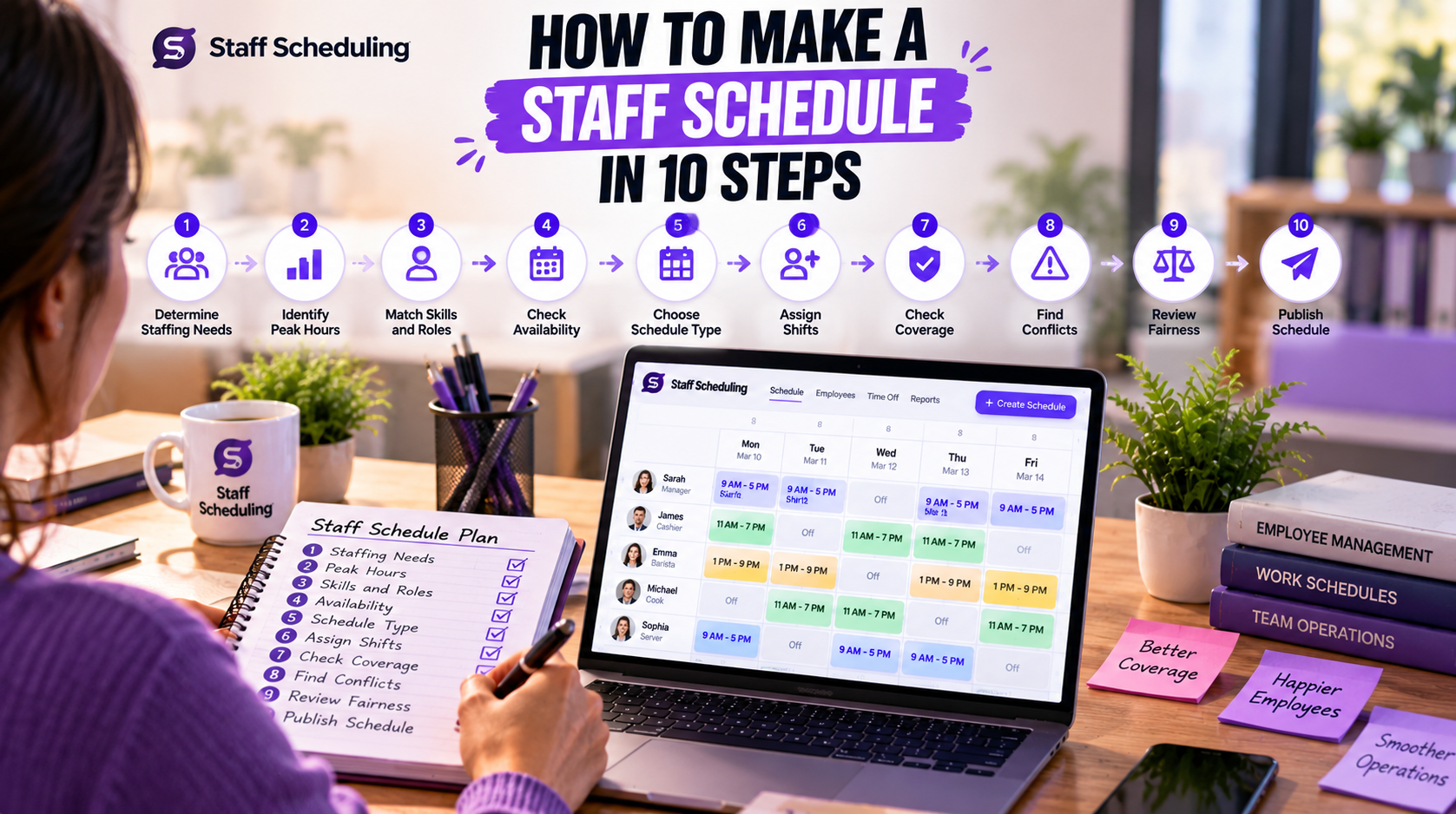
1. Determine Your Staffing Requirements
Before learning how to make a staff schedule, decide how many employees you actually need. Start by looking at your staffing requirements, workload, customer demand and the tasks that need to be handled. Then set your staffing levels for each shift and decide the number of employees per shift.
For example, a busy lunch period may need five employees while a quieter period may only need three. Your staffing needs can also change by day, location, or season. Knowing the required staff for each period helps you meet your workforce requirements and daily operational needs without overstaffing or leaving your team short-handed.
2. Identify Peak Hours and Business Demand
When learning how to make a staff schedule, first look at when your business gets the most work. Identify your peak hours, busy hours and periods of peak demand before assigning employees. Your business demand, staffing demand and customer demand can change throughout the day.
For example, a restaurant may need three employees during quiet hours but five during the lunch rush. A retail store may need more staff on weekends. Matching your schedule with service demand helps you put enough employees where they are needed without adding unnecessary labor costs.
3. Match Employees to Job Roles and Skills
An important part of how to make a staff schedule is knowing which employees you need for each shift. Also ask, “Which employees have the right skills for this shift?” Check each employee’s skills and job role before assigning them to a shift.
For example, a restaurant may need five people during dinner, but the team may still need one manager, two servers and two kitchen workers. Matching the required staff with the right skills helps you maintain the right staffing levels and meet your workforce requirements. This also reduces mistakes and keeps each shift running smoothly.
4. Check Employee Availability and Preferences
When you know how to make a staff schedule, you should always check employee availability and staff availability. Availability means the hours when an employee can work, while shift preferences are the hours they prefer to work.
For example, an employee may be available from 9 AM to 5 PM but prefer morning shifts. You should also check time-off requests and other employee scheduling constraints, such as school, another job, or approved leave. Checking these details before building the schedule helps reduce scheduling conflicts, last-minute changes and missed shifts while making the schedule easier for employees to follow.
5. Choose the Right Schedule Type
When you are learning how to make a staff schedule, choose a schedule type that fits your business hours, workload and team. The most common options are fixed schedule, rotating schedule and flexible schedule.
- Fixed schedule: Employees work mostly the same shifts each week. For example, Sarah works Monday to Friday from 9 AM to 5 PM.
- Rotating schedule: Employees take turns working different shifts. For example, one employee may work mornings this week and evenings next week.
- Flexible schedule: Employees have more flexibility in choosing or adjusting their working hours.
Also consider shift length and business demand when planning your shift scheduling. The right schedule type can make staffing easier and more predictable.
6. Assign Employees to Each Shift
The next step in how to make a staff schedule is to assign the right employees to each shift based on your staffing needs. Start with critical roles, then cover your peak hours and match employees with the skills needed for each shift. After that, check their availability and shift preferences before making the final assignment.
For example, if the evening shift needs one manager, two servers and one cashier, assign employees who are qualified for those roles first. Then distribute the remaining hours fairly. This simple process makes how to make a shift schedule easier and helps you create a balanced employee work schedule, work schedule and shift schedule without unnecessary conflicts.
7. Check Staff Coverage and Find Gaps
Part of how to make a staff schedule effectively is checking whether every shift has enough people. This is called staff coverage or shift coverage. Compare the number of employees scheduled with the number you need for each shift.
For example, if your lunch shift needs five employees but only four are scheduled, you have a coverage gap. You may need to move an available employee to that shift or adjust another shift. Checking coverage before publishing the schedule helps you maintain full coverage, avoid understaffing and make sure your team can handle the expected workload.
8. Check Scheduling Conflicts, Overtime and Rest
Another important part of how to make a staff schedule is checking for scheduling conflicts, overtime and proper rest periods. Make sure employees are not assigned to overlapping shifts or shifts when they are unavailable. Also check that no employee has been given too many hours or too little time between shifts.
For example, if Ali finishes a shift at 10 PM and is scheduled again at 6 AM, the short rest period may create a problem. Review labor costs, applicable labor laws and scheduling compliance before finalizing the schedule. This helps prevent unnecessary overtime, employee fatigue and costly scheduling mistakes.
9. Review the Schedule for Fairness
After you learn how to make a staff schedule, always check whether working hours and shifts are distributed fairly. Fair scheduling does not mean giving everyone exactly the same shifts. It means sharing weekends, difficult shifts, working hours and workload reasonably while considering business needs.
Also review shift preferences and approved time-off requests where possible. A fair schedule can improve employee satisfaction and support a better work-life balance. When employees feel that their time and preferences are considered, they are more likely to be comfortable with the schedule and follow it consistently.
10. Publish the Schedule and Manage Changes
The final step in how to make a staff schedule is to share it with your team as early as possible. Good schedule communication makes sure every employee knows when and where they need to work. Use employee notifications to inform staff about new schedules or important updates.
Keep a clear process for schedule changes and shift swaps when someone cannot work. A simple workflow is: Create → Review → Publish → Notify → Update. This makes your scheduling process easier to manage and keeps your staff scheduling process organized when changes happen.
How Do I Make a Work Schedule for Employees?
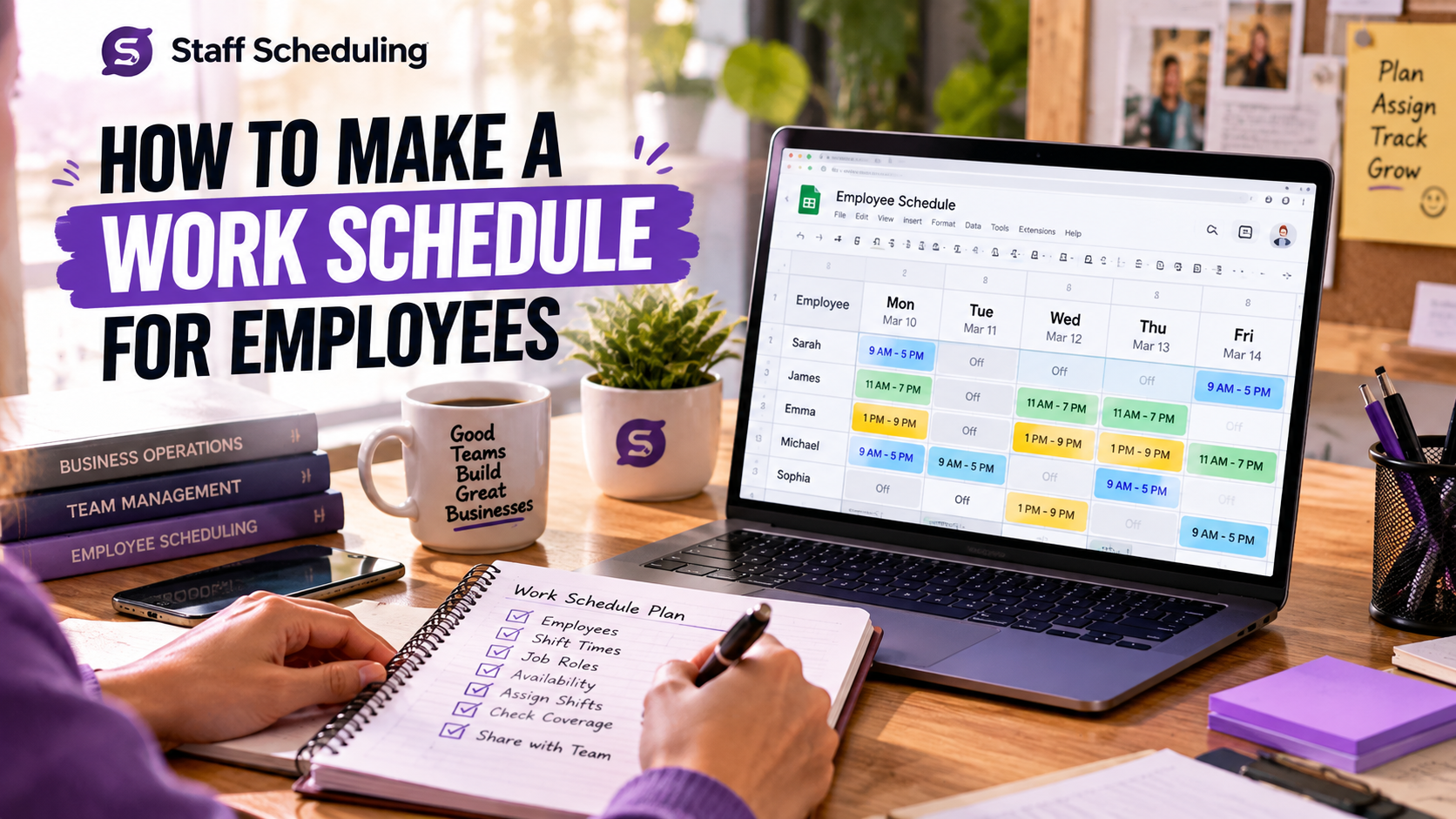
To make a work schedule for employees, start by listing your employees and their available working hours. Then decide how many people you need for each shift and assign employees based on their roles, skills and availability. Finally, check the schedule for coverage, total hours and conflicts before sharing it with your team.
For example:
| Employee | Monday | Tuesday | Wednesday |
| Sarah | 9 AM–5 PM | 9 AM–5 PM | Off |
| James | 11 AM–7 PM | Off | 11 AM–7 PM |
| Emma | 1 PM–9 PM | 1 PM–9 PM | 9 AM–5 PM |
Before publishing the employee work schedule, check four things: availability → coverage → hours → conflicts. This simple check can help you create a clear and balanced work schedule.
How to Make a Work Schedule in Google Sheets
If you want to know how to make a work schedule in Google Sheets, start with a simple table. Add your employees in the rows and working days in the columns. Then add shift times, job roles, employee availability and assigned shifts.
A simple process is:
- 1Add employee names and dates.
- 2Add shift start and end times.
- 3Add job roles and availability.
- 4Assign employees to each shift.
- 5Track total working hours.
- 6Check staff coverage and scheduling conflicts.
- 7Share the sheet with your team.
Google Sheets can work well for a small team. However, managing schedules becomes harder as employees, locations, shifts and changes increase. A dedicated staff scheduling software can make it easier to manage schedules, availability, time-off requests, shift changes and employee communication in one place.
How to Make a Work Schedule on Google Calendar
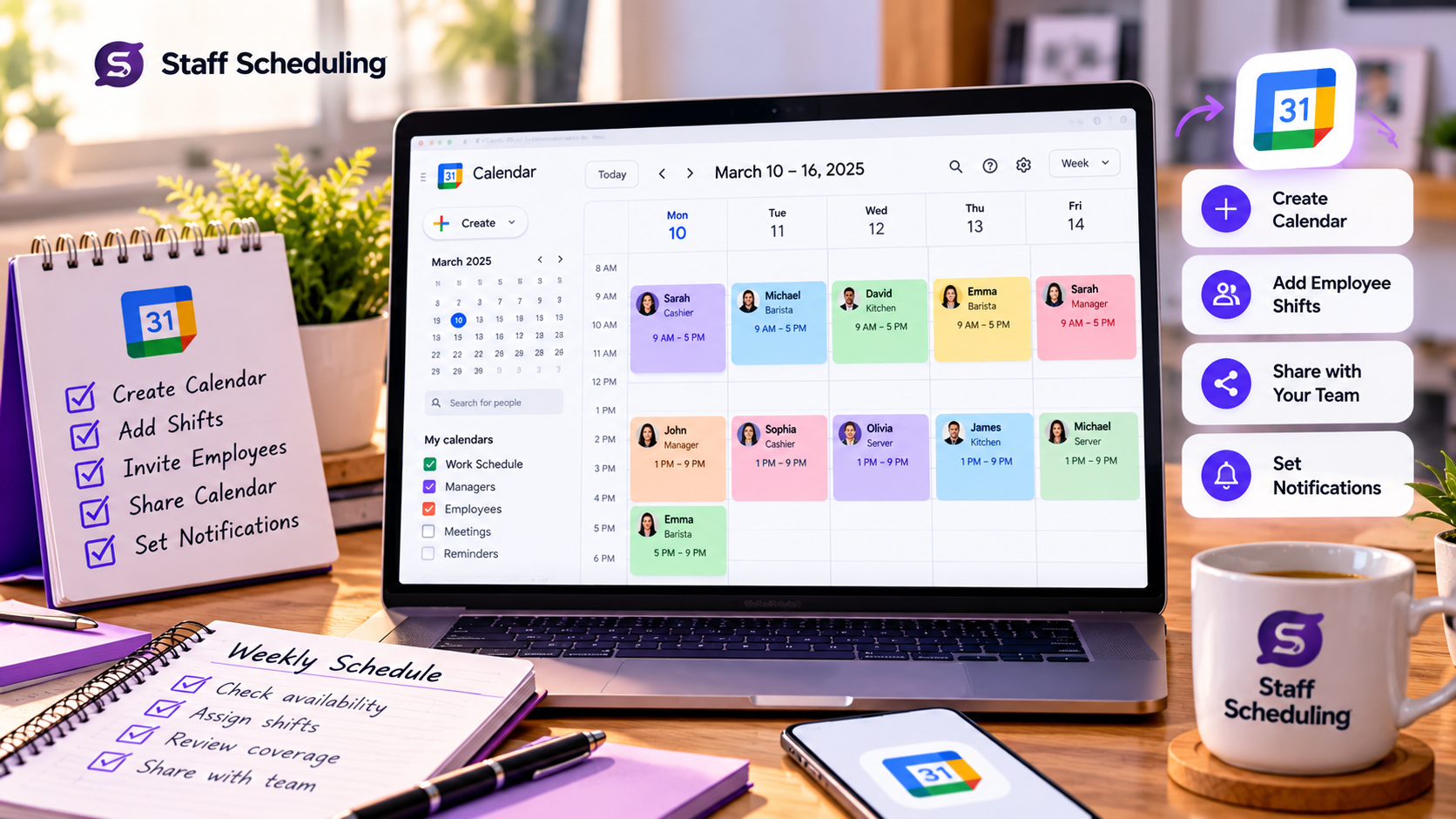
If you want to know how to make a work schedule on Google Calendar, start by creating a shared calendar for your team. Then create a separate event for each shift and add the employee name, role, location and working hours.
A simple process is:
- 1Create a shared calendar.
- 2Add each employee's shift as an event.
- 3Add the start and end time.
- 4Include shift and role details.
- 5Turn on notifications.
- 6Share the calendar with your team.
Google Calendar is useful for viewing and communicating schedules. However, managing employee availability, coverage, shift swaps and staffing levels can become difficult. For growing teams, Staff Scheduling Software can bring these tasks together in one place.
What Makes an Effective Staff Schedule?
An effective staff schedule gives your business enough people at the right time without creating unnecessary costs or confusion. A good effective work schedule should:
- 1Match business demand: Schedule more employees during busy periods and fewer during quiet hours.
- 2Provide adequate coverage: Make sure every shift has enough qualified staff.
- 3Respect availability: Consider when employees can work and their approved time off.
- 4Control overtime: Avoid assigning more hours than necessary.
- 5Stay fair: Distribute working hours, weekends and difficult shifts reasonably.
- 6Be easy to understand: Employees should quickly know when and where they work.
- 7Allow changes: The schedule should be easy to update when plans change.
These practices improve staffing efficiency, control labor costs and support employee satisfaction and a healthier work-life balance.
Common Staff Scheduling Problems to Avoid
Even a well-planned schedule can cause problems if you do not review it carefully. Here are some common issues to watch for:
- Understaffing: You do not have enough employees to handle the workload during a shift.
- Overstaffing: You schedule more employees than the business needs, which can increase labor costs.
- Coverage gaps: A shift does not have enough qualified employees to handle the work.
- Scheduling conflicts: An employee is scheduled when they are unavailable or already assigned to another shift.
- Scheduling errors: The wrong employee, time, role, or location is added to the schedule.
- Last-minute schedule changes: Changes are made without giving employees enough notice.
Checking these issues before publishing the schedule can help prevent confusion and keep daily operations running smoothly.
When Should You Use Employee Scheduling Software?
d
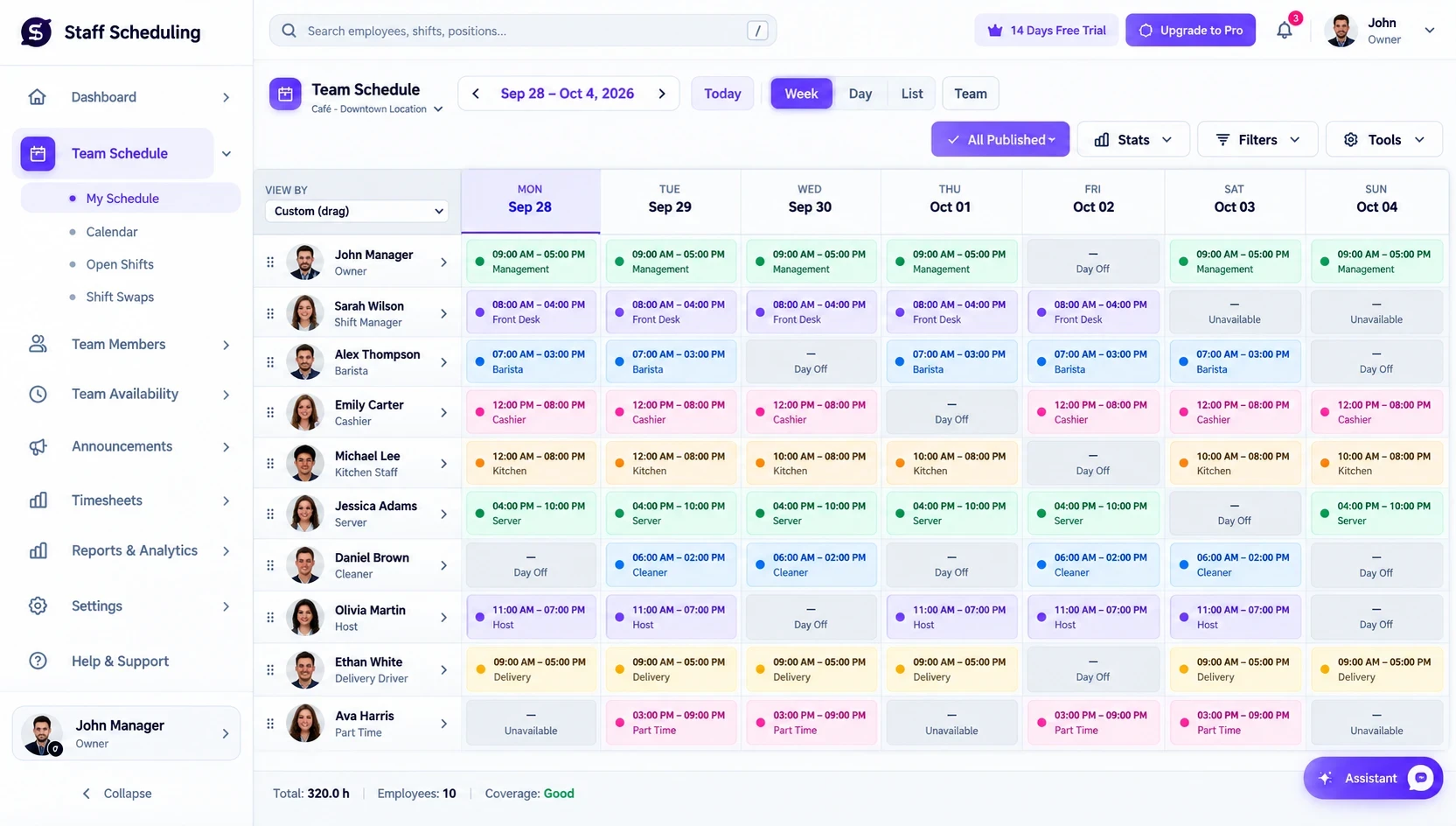
Manual scheduling can work well for a small team with simple shifts. But as your team grows, managing employee scheduling becomes harder. More employees, multiple shifts, changing availability, time-off requests and frequent schedule changes can make spreadsheets difficult to manage.
This is where scheduling software can help. Employee scheduling software can make it easier to create schedules, manage availability, handle time-off requests, update shifts and keep employees informed. A staff scheduling app can also give employees access to their latest schedules from anywhere.
If you are spending too much time creating schedules or fixing scheduling problems, Staff Scheduling can help you manage schedules, shifts, availability, time off and team communication in one place.
Staff Schedule Template: What Should It Include?
A useful staff schedule template should contain all the information employees need to understand their shifts. A simple weekly staff schedule can include:
- Employee name
- Date and day
- Shift start and end time
- Job role
- Work location
- Break time
- Total working hours
- Notes or special instructions
Keeping these details in one place makes the schedule easier to read, review and update. For larger teams, you can also include employee availability, time-off and shift changes to keep the schedule accurate.